Convenient bedroom scene
The following scene is configured in the JUNG HOME app and triggered either with a timer or with the JUNG HOME push-button 2:
The slat position of the blinds 3 is opened slightly to let a little daylight into the room. At the same time, with dimmed light on the ceiling, the floor lamp 5 or the indirect effect lighting under the bed 6, atmospheric lighting is created.
There is also intuitive operation at the door: the ceiling lighting can be controlled easily with a JUNG HOME push-button 1-gang 1.
The JUNG HOME push-button 2-gang 4 can additionally have an "Everything OFF" scene allocated to it. In this way, it is possible to conveniently control the whole bedroom centrally.
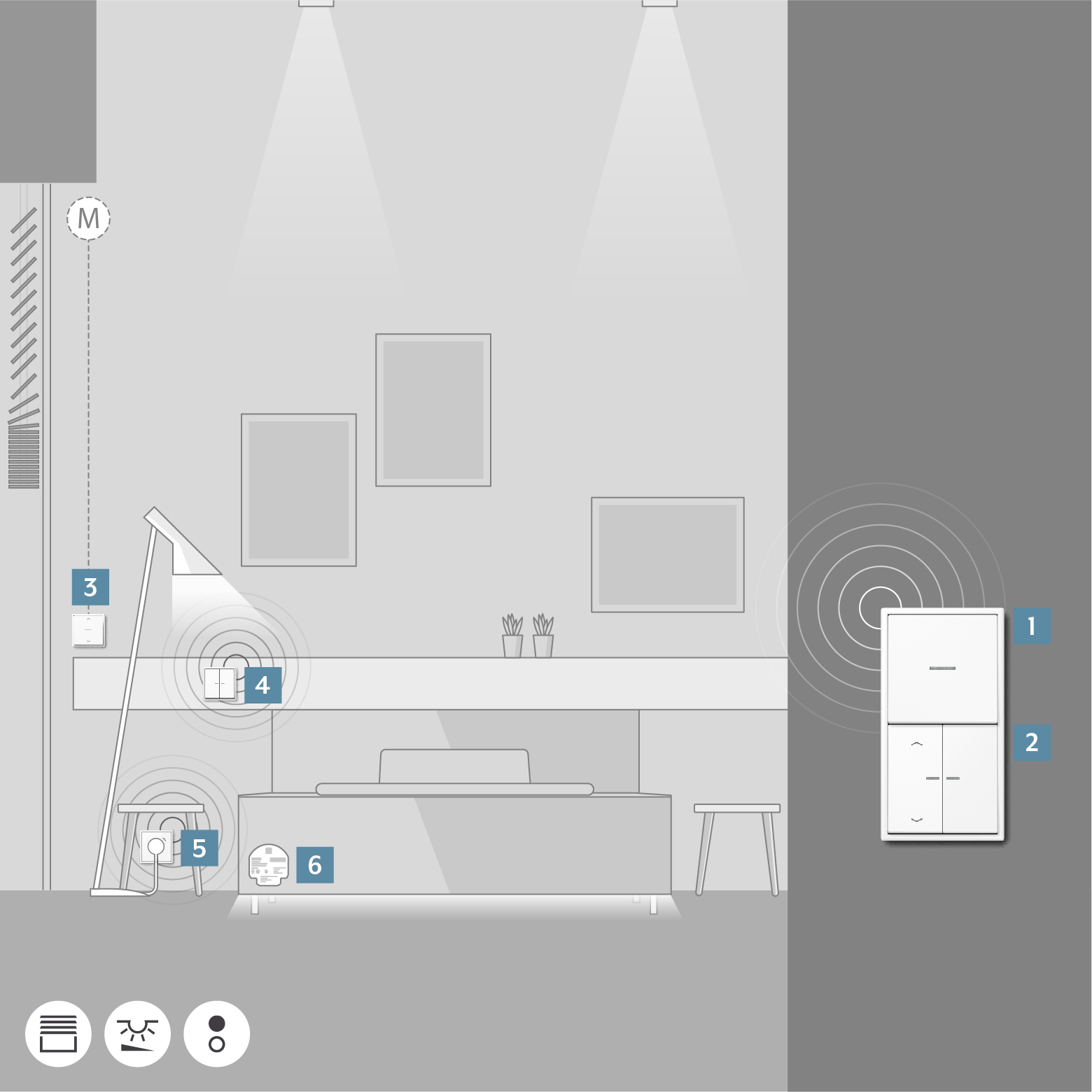
Item | Device | Ref.-no. |
|---|---|---|
1 | 1710 DE | |
2 | 1723 NE | |
3 | 1730 JE | |
4 | 1723 NE | |
5 | BT..1521S.. | |
6 | JUNG HOME switch actuator 1-gang mini with 2 binary inputs or | BTS1B2U or BTPS2B2U |
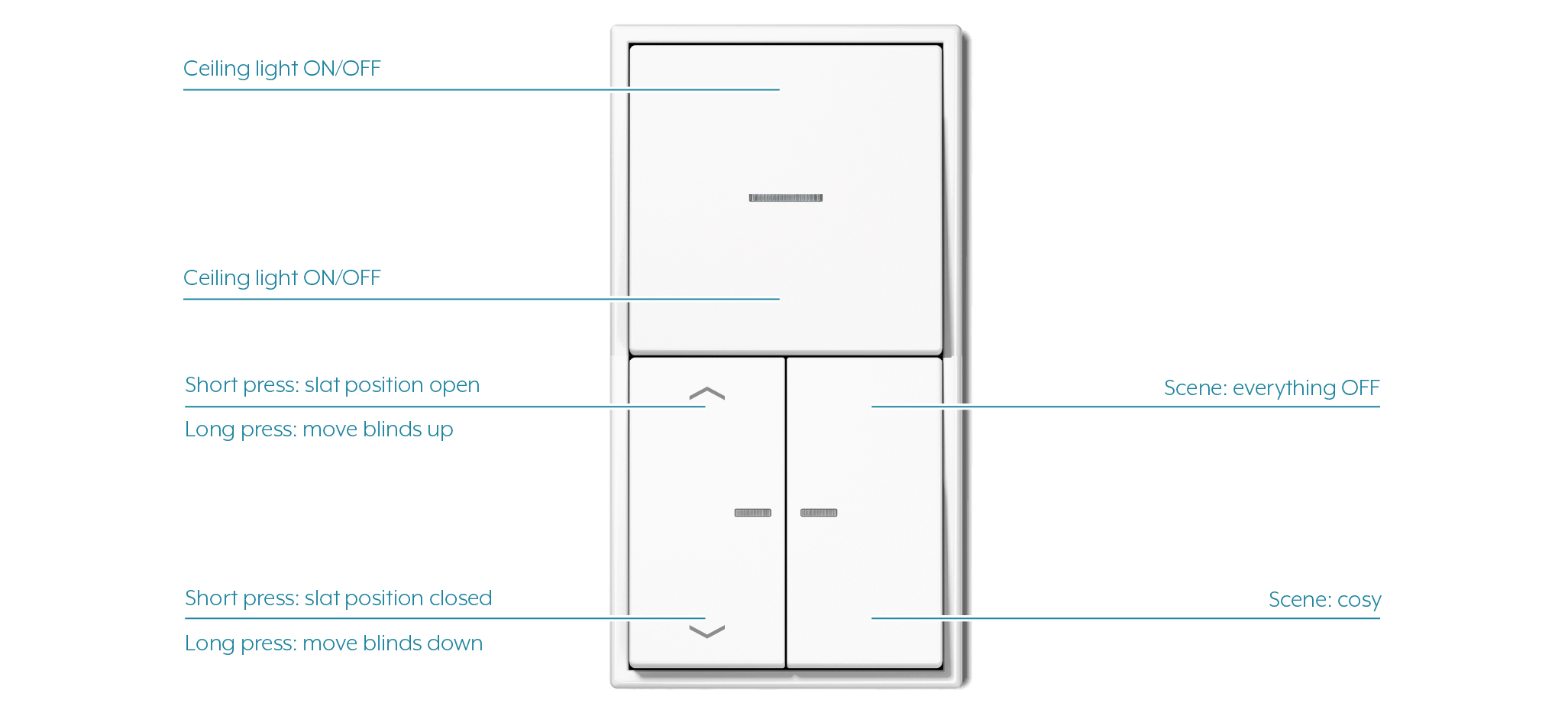
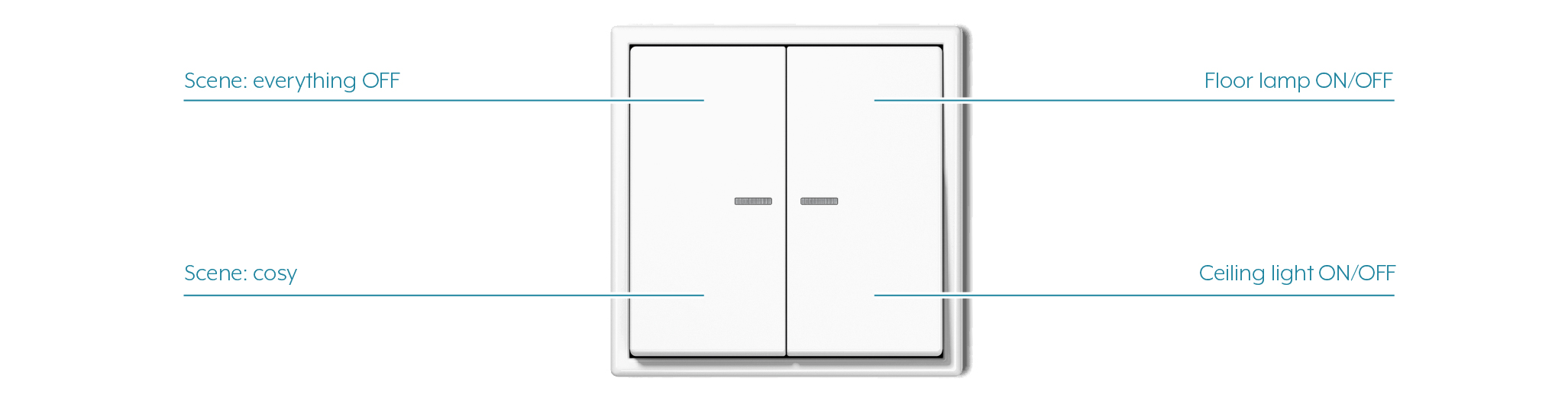
You can find out how to adapt the operating concept in the JUNG HOME app in the Change operating concept chapter.