Home cinema
With an individually configured cinema scene, the home cinema is available on demand.
When the television is switched on, the JUNG HOME SCHUKO® socket Energy 2 sends a signal via Bluetooth® MESH to the JUNG HOME SCHUKO® socket Energy 3, to switch on the ambient lighting.
You dim the ceiling light manually with the first rocker or with the JUNG HOME app to a previously defined value 1. Alterations can be conveniently made from the sofa with the JUNG HOME app.
On the second rocker, you can store two scenes with different states for all JUNG HOME devices. A scene can also be configured here with "Everything off".
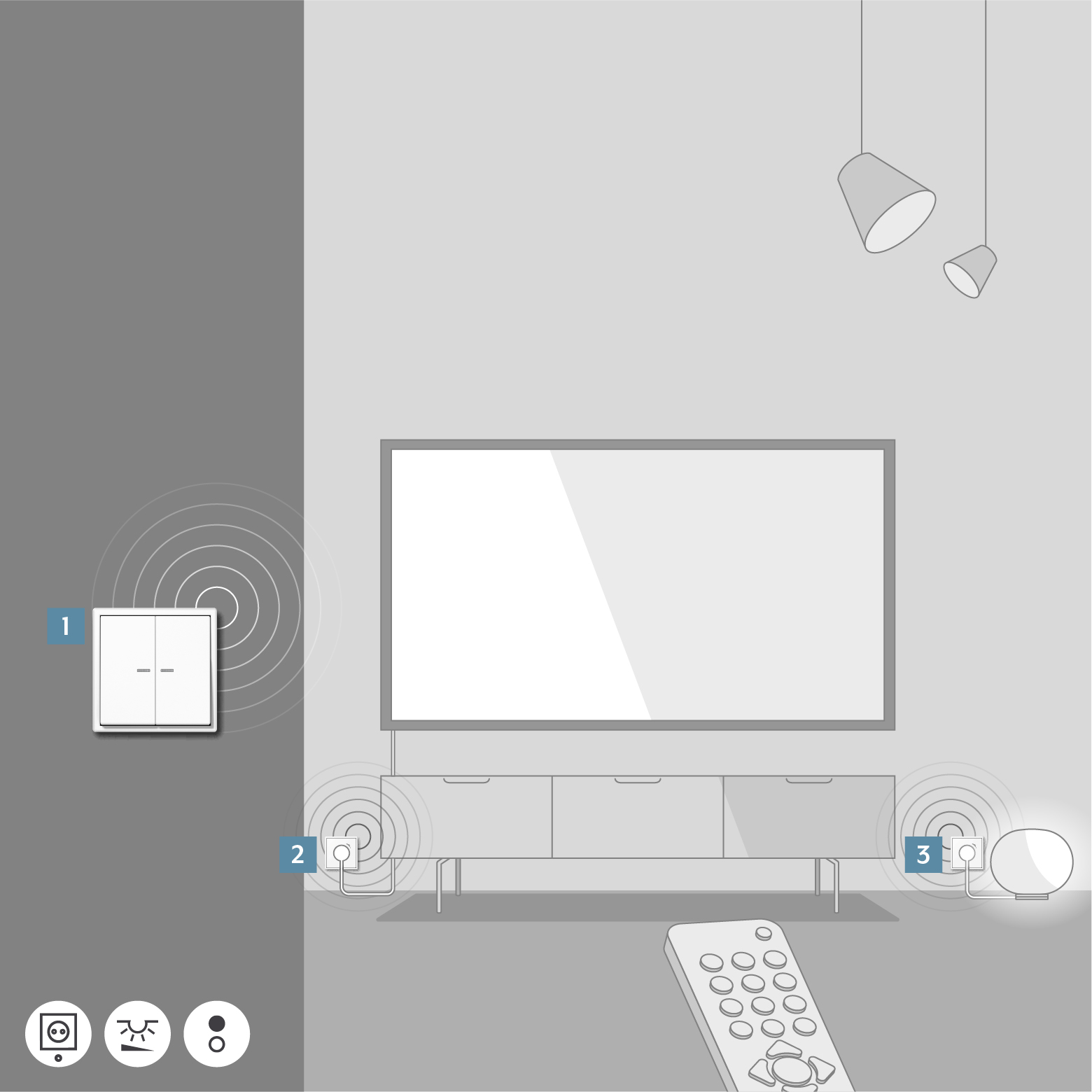
Item | Device | Ref.-no. |
|---|---|---|
1 | 1710 DE | |
2 | BT..1521SE.. | |
3 | BT..1521S.. |
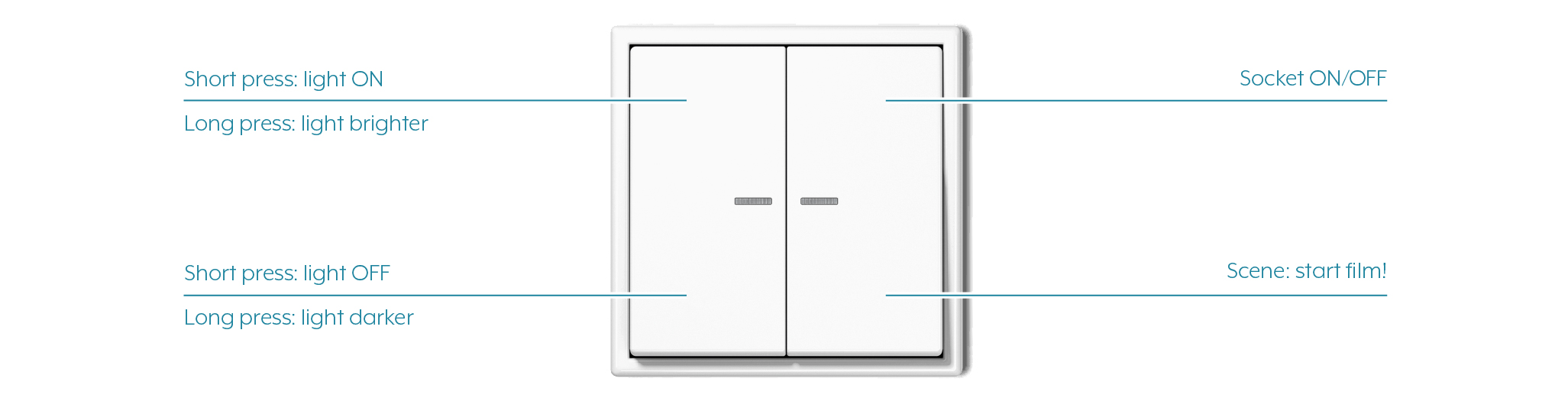
You can find out how to adapt the operating concept in the JUNG HOME app in the Change operating concept chapter.