Convenience scenes for the living room
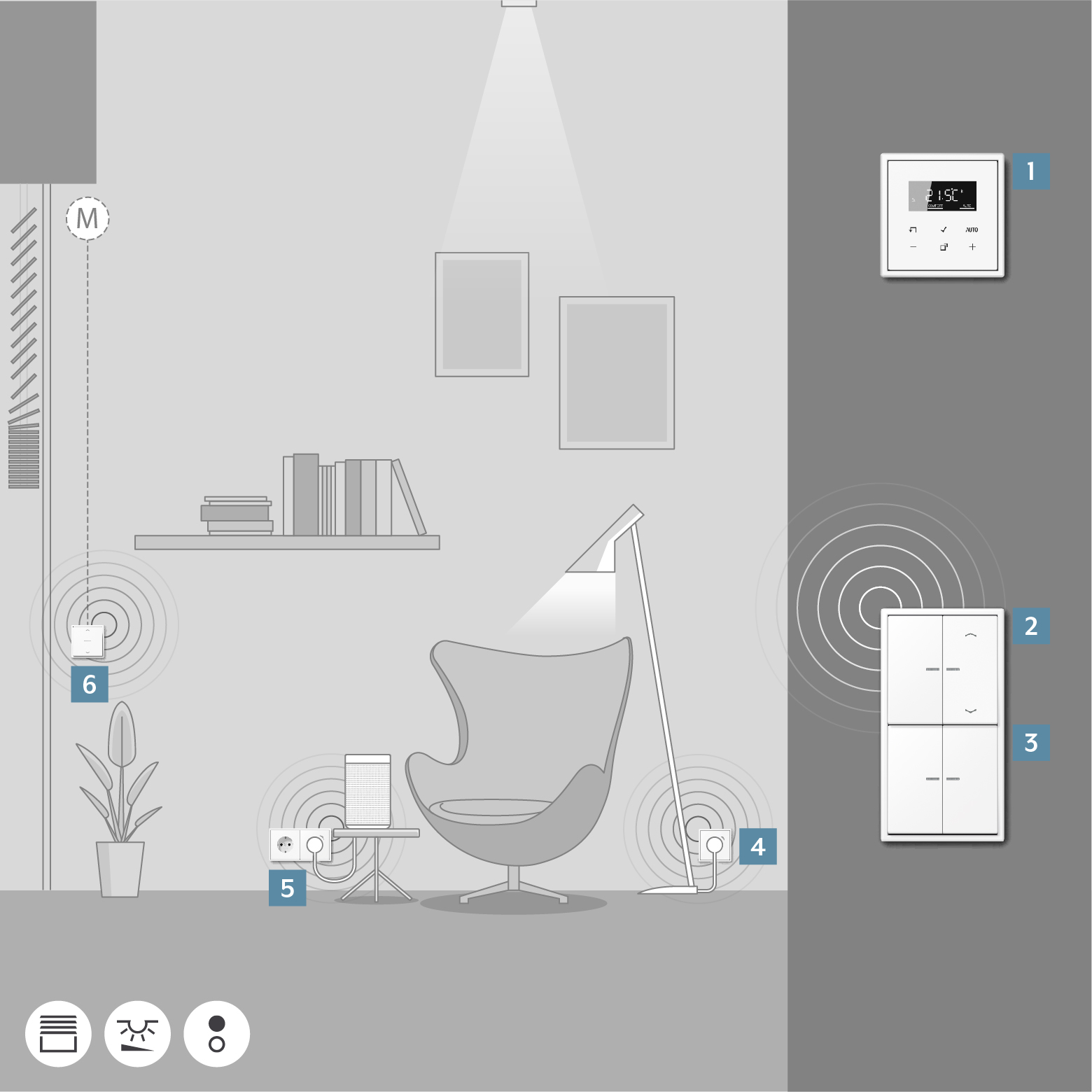
A convenience scene for your living room could look like this: the JUNG HOME push-button 2-gang 2 operates the luminaire on the JUNG HOME SCHUKO® socket 4, moves multiple blinds 6 into the configured position, activates a smart speaker using the JUNG HOME SCHUKO® socket 5 and regulates the temperature with the JUNG HOME room thermostat display 1.
On leaving the room, the JUNG HOME push-button 2-gang 3 switches off all devices in the living room centrally.
On the JUNG HOME push-button 2-gang 2, additional functions can be operated: the left rocker controls the light, the right one moves all blinds as a group to the starting position. The configurations are done once in the JUNG HOME app and are then permanently available at the press of a button.
Item | Device | Ref.-no. |
|---|---|---|
1 | 1790 RTR | |
2 | 1710 DE | |
3 | 1723 NE | |
4 | BT..1521S.. | |
5 | BT..1521S.. | |
6 | 1730 JE |
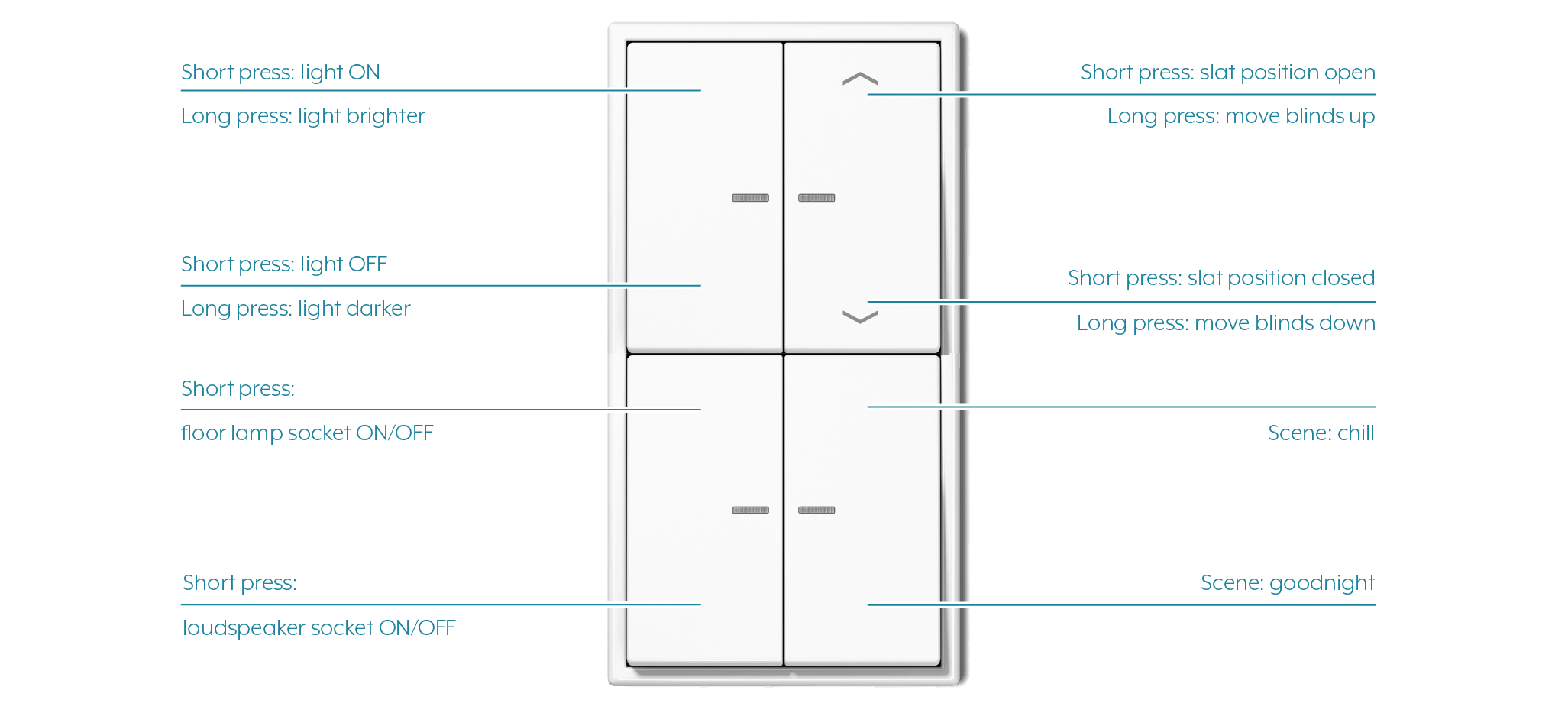
You can find out how to adapt the operating concept in the JUNG HOME app in the Change operating concept chapter.