JUNG HOME Puck Power DALI-2 controller TW with 2 binary inputs
The JUNG HOME Puck Power DALI-2 controller TW with 2 binary inputs is used to set the brightness and colour temperature (TW) of luminaires with a DALI interface.
The binary inputs of the JUNG HOME Puck Power DALI-2 controller TW with 2 binary inputs can be used to trigger scenes, operate electrical loads or query states.
The device works as a DALI-2 single-master and may not be combined with other DALI controls. Control is in a broadcast.
The JUNG HOME Puck Power DALI-2 controller TW with 2 binary inputs can be installed in a conventional wall box according to DIN 49073 or in false ceilings in an installation box.
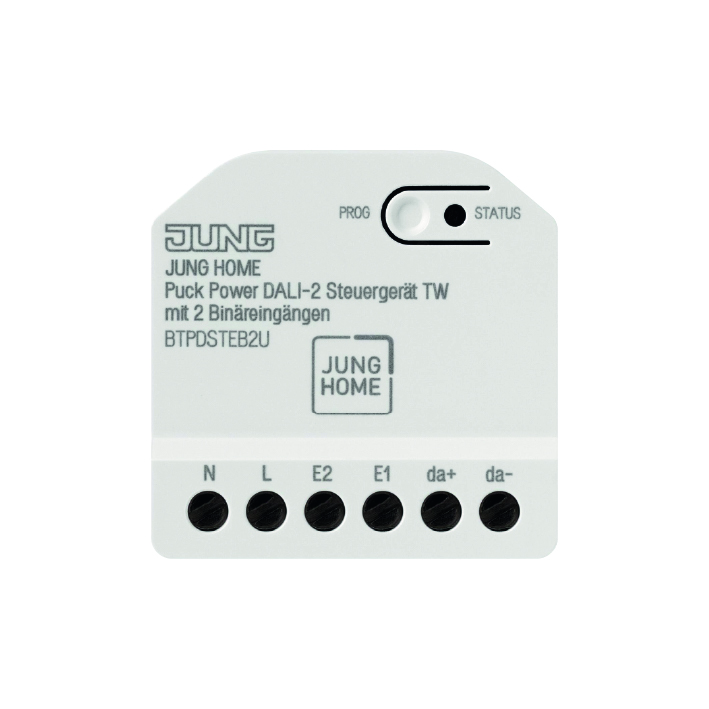
- Connection of devices (e.g. push-buttons, switches or weather stations) to the binary inputs to trigger scenes, operate electrical loads or query states, etc.
- Operation of the device using the JUNG HOME app, a JUNG HOME push-button, JUNG HOME sensors or with the binary inputs of the JUNG HOME actuator
- Bluetooth® Mesh for fully encrypted wireless communication and repeater function
- DALI power supply for DALI devices e.g. luminaires
- Wireless linking with JUNG HOME system devices
- Integration of the load into areas (groups), central functions and scenes
- Switch-on with last brightness or fixed switch-on brightness
- Setting the colour temperature for luminaires with DALI Device Type 8 for Tunable White in accordance with IEC 62386-209
- Electronic overload protection of the DALI power supply by means of power reduction
- Free linking of the 2 binary inputs with JUNG HOME actuators (local or wireless)
- Device functions as single-master with broadcast commands
- Commissioning and operation using the JUNG HOME app with mobile device (smartphone or tablet) via Bluetooth®
- Maximum and minimum brightness adjustable
- Multi-coloured status indicator and Prog button for commissioning
- Run-on time, switch-on delay, switch-off delay
- Switching and brightness setting for luminaires with DALI interface
- Disabling the Prog button
- Disabling function and forced guidance: continuous ON/OFF or for ON/OFF for fixed time
- Trigger the disabling function using binary inputs, e.g. lock-out protection with shutters and blinds, forced guidance, etc.
- Staircase lighting function (automatic switching off) with switch-off warning
- Independent use of actuator functions and binary inputs
- Can be updated using JUNG HOME app
- Wind alarm via connection of weather sensors to binary inputs
There is a requirement for the following function for at least one of the following devices to be in the project (Bluetooth® Mesh network): JUNG HOME mini actuator, JUNG HOME socket, system insert with JUNG HOME push-button or JUNG HOME motion or presence detector, JUNG HOME room thermostat:
- Activate/deactivate automatic functions using the JUNG HOME app
- Automatic date and time update during connection with mobile device
- Automatic switching and brightness setting
- Up to 16 time programs
- Time programs with sunrise or sunset (astro timer)