Installation and settings
Connecting and fitting the system insert
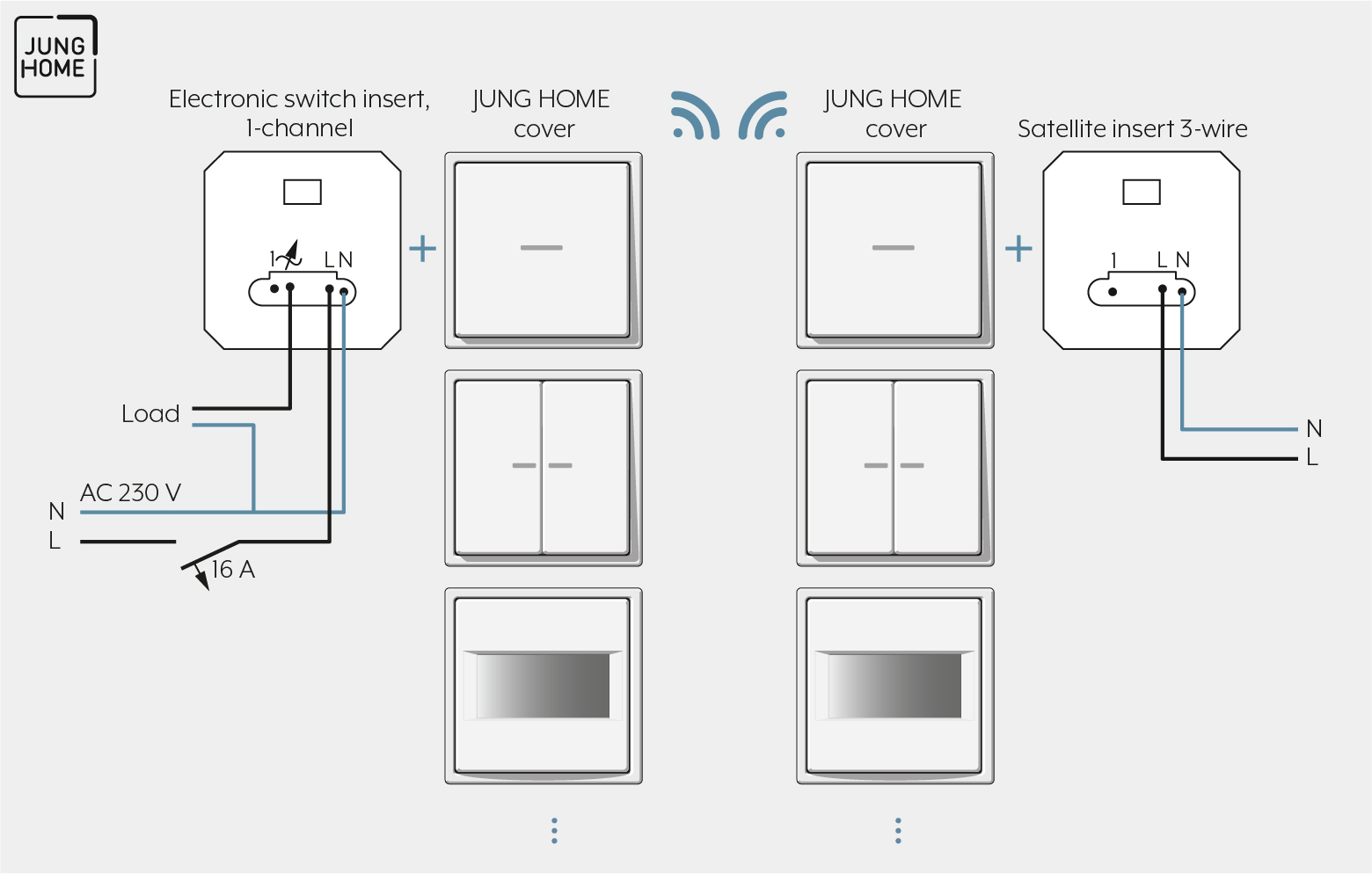
Note the following for the installation:
- If "non-dimmable LED lamps" are used, a connected neutral conductor is mandatory. Operation without neutral conductor is possible if other lamps are used.
- Maximum 600 W LED or compact fluorescent lamps can be connected per 16 A circuit breaker.
Clampable conductor cross-sections | |
|---|---|
| 1 x 0.5 ... 4 mm² 2 x 0.5 ... 2.5 mm² |
| 1 x 0.5 ... 4 mm² 2 x 0.5 ... 2.5 mm² |
| 1 x 0.5 ... 4 mm² 2 x 0.5 ... 1.5 mm² |


Configure the operating mode
When operated without a neutral conductor, the operating mode must be appropriate for the load. Configuration of the operating mode normally occurs automatically. However, it can be necessary to configure the operating mode manually.
When operated with a neutral conductor, the operating mode cannot be configured. In this case, the LED indicator has no function.
You can configure the following operating modes:
Universal, R, L, C, LED
- Factory defaults
- Automatic calibration to the load, trailing edge phase control, leading edge phase control or LED leading edge phase control
- Type of load:
- Incandescent lamps
- HV halogen lamps
- dimmable HV LED or compact fluorescent lamps
- dimmable electronic or inductive transformers for halogen or LED lamps
LED trailing edge phase control
- Connection of inductive transformers is not permitted
- Type of load:
- Incandescent lamps
- HV halogen lamps
- trailing edge phase control dimmable HV LED or compact fluorescent lamps
- trailing edge phase control dimmable electronic transformers for halogen or LED lamps
LED leading edge phase control
- Connection of inductive transformers is not permitted
- Type of load:
- Incandescent lamps
- HV halogen lamps
- leading edge phase control dimmable HV LED or compact fluorescent lamps
- leading edge phase control dimmable electronic transformers for halogen or LED lamps
To configure the operating mode, proceed as follows:
- Ensure that the load is switched off.
- Press and hold the TEST button for longer than four seconds until the LED indicator lights.
- Press the TEST button briefly as often as needed for less than a second until the required operating mode is selected.
LED COLOUR | MODE |
|---|---|
green | R, L, C, LED |
red | LED trailing edge phase control |
Blue | LED leading edge phase control |
The indication LED lights in the colour of the selected operating mode.
- Press and hold the TEST button for longer than one second within the next 30 seconds.
The LED indicator extinguishes and the light is switched on. The operating mode is saved. If the TEST button is not pressed for more than one second within 30 seconds, the operating mode is not saved and the LED goes out.