Action “Good evening [Sa – Su]”
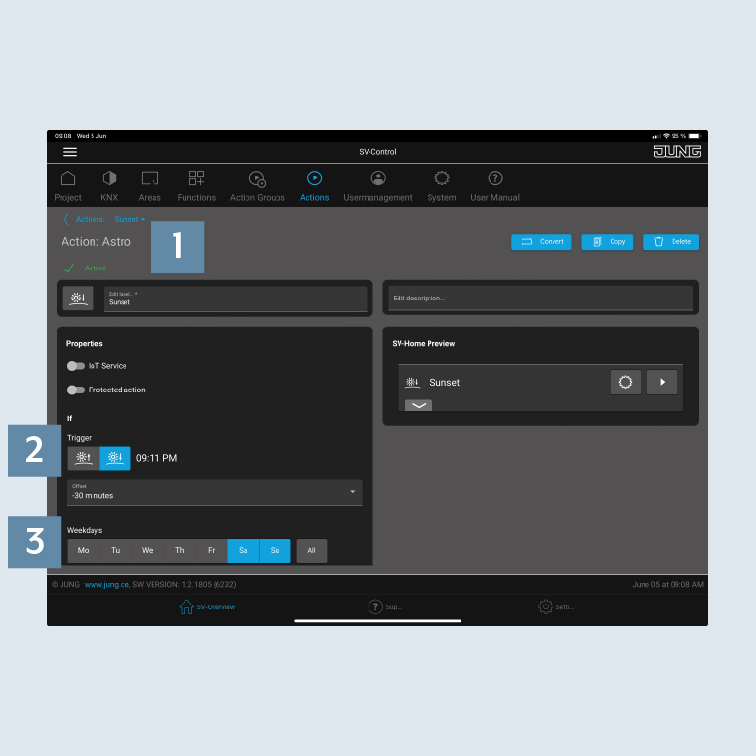
This action should automatically lower the blinds at the weekend at sunset, put the lighting in the living room into a relaxed ambiance and switch on the outdoor lighting. The action already starts half an hour before sunset.
- Create an action on the
Actionstab and select theAstro1 action type. Select theSunset2 trigger and the desiredweekdays3 includingConditions:
- shift -30 min.
- Sa + Su
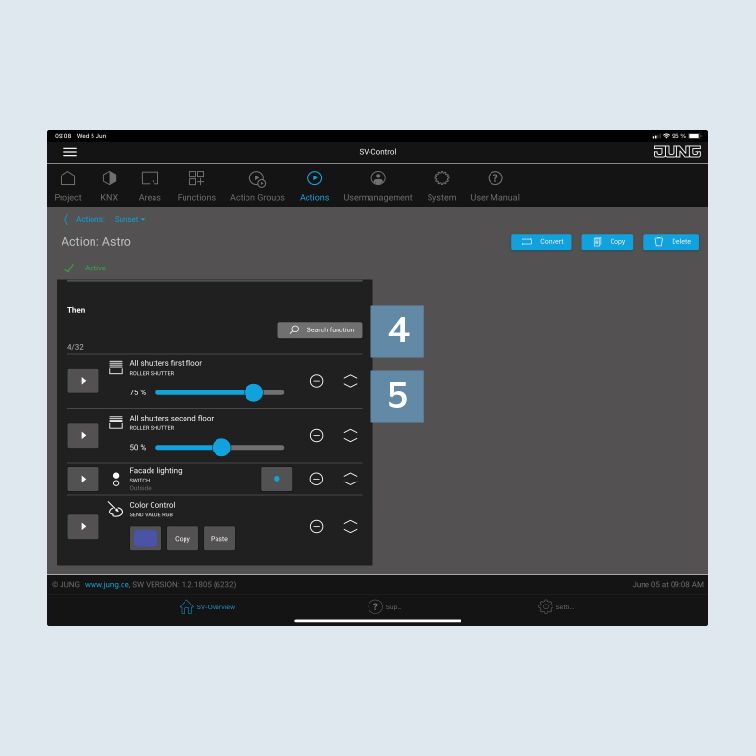
- Add the appropriate
functions4 to the action – hereblindsandlighting. - Adjust the desired states using the
sliders5, e.g.:
- blind position 100%
- slats 100 %
- lighting on/100 %
- colour
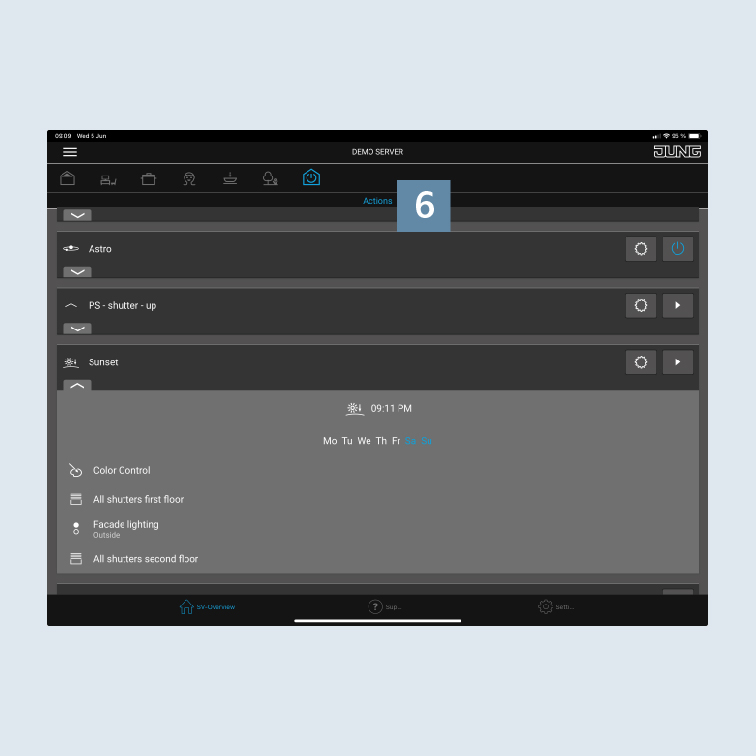
- After you have created the action, you can add it to an area or action group. If you add the action to the Actions area, it can be called in SV-Home
Actions6.