Entering location coordinates
First, enter the (latitude and longitude) of your home system.
Note
You can research the location coordinates using various services on the Internet (e.g. www.gpskoordinaten.de).).
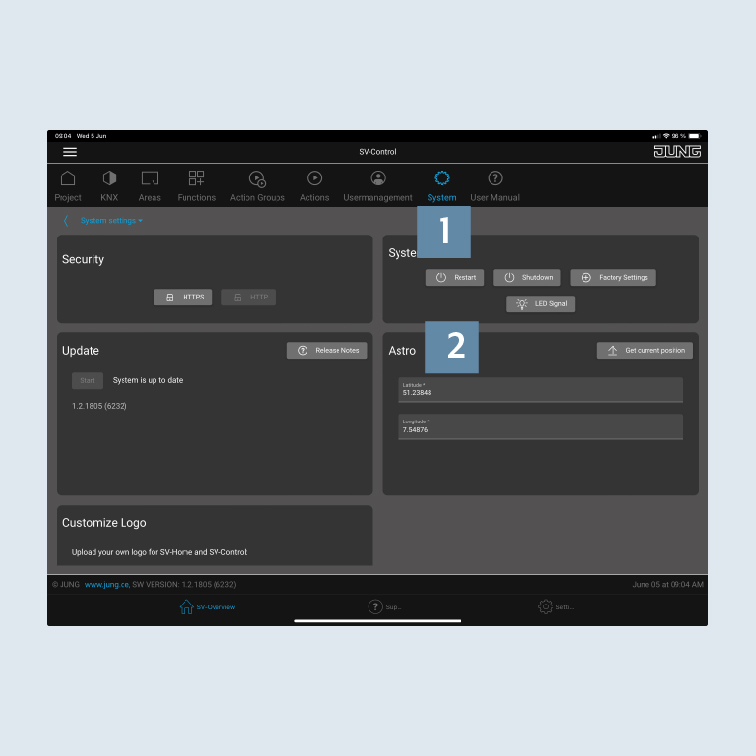
- Navigate to the
Systemtab in SV-Control 1.
You will find the input field Astro 2 there at the bottom left.
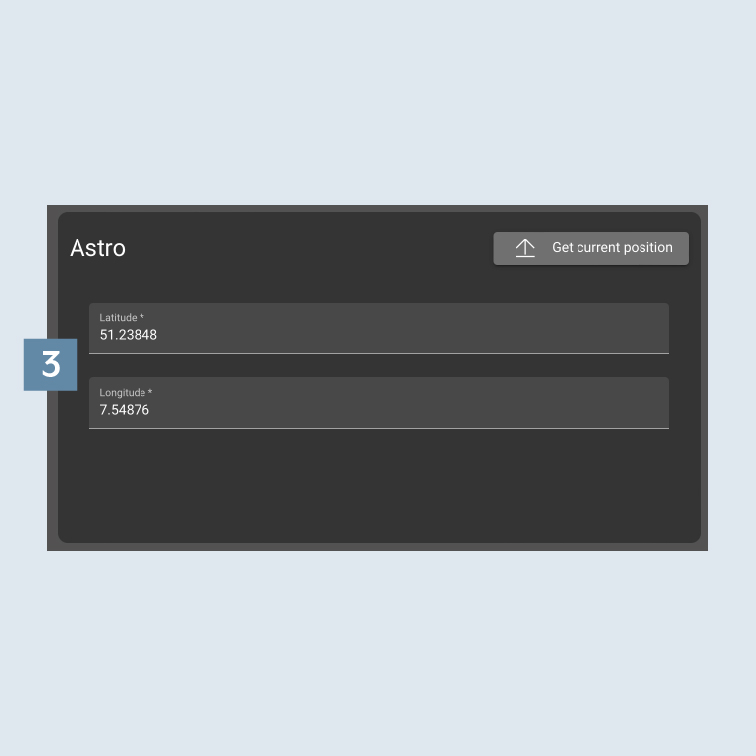
- Enter the
location coordinates (latitude and longitude3.
- Optionally choose between the function types
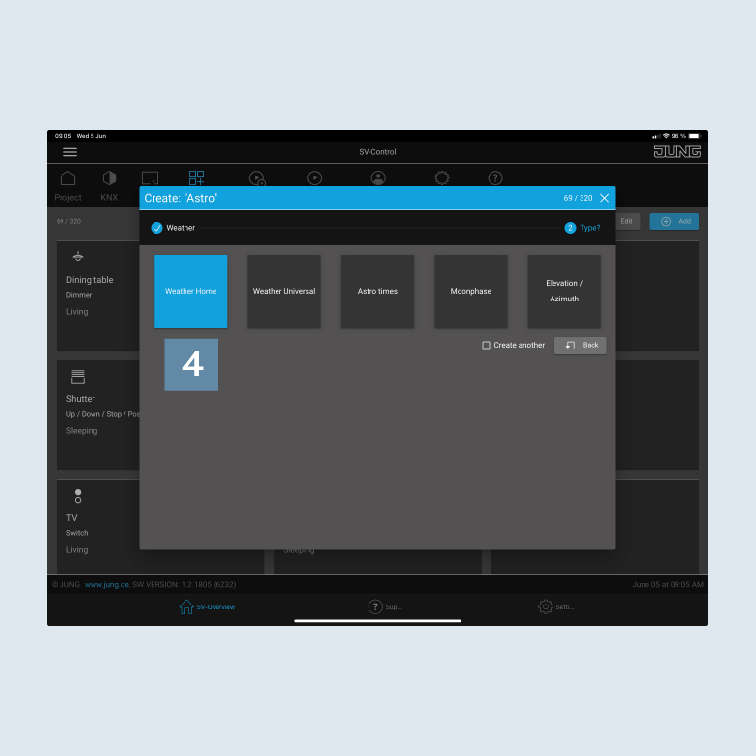
Weather Home,Weather Universal,Astro times,MoonphaseorElevation / Azimuth4.
You decide which information you want to see later in SV-Home.