Activating remote access in the Smart Visu Server
After you have purchased a licence, now activate the remote access on your Smart Visu Server.
- access the SV-Server with the web browser of your device (PC, laptop, tablet).
To do so, enter the address http://sv-server.local or the allocated IP address of the SV-Server in the web browser. - If the SV-Server is protected by a password, enter this.
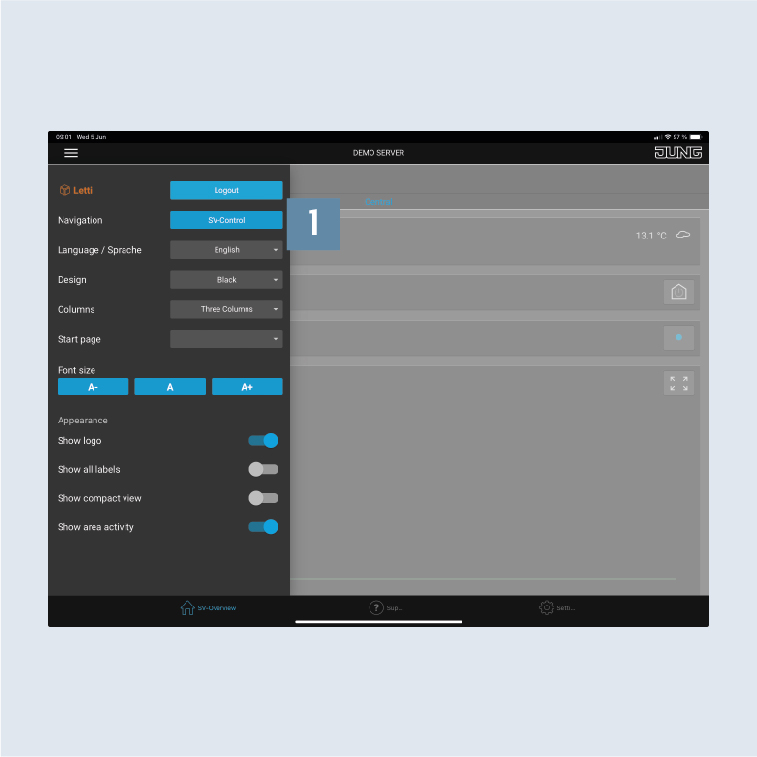
- Select the
Controlbutton 1.
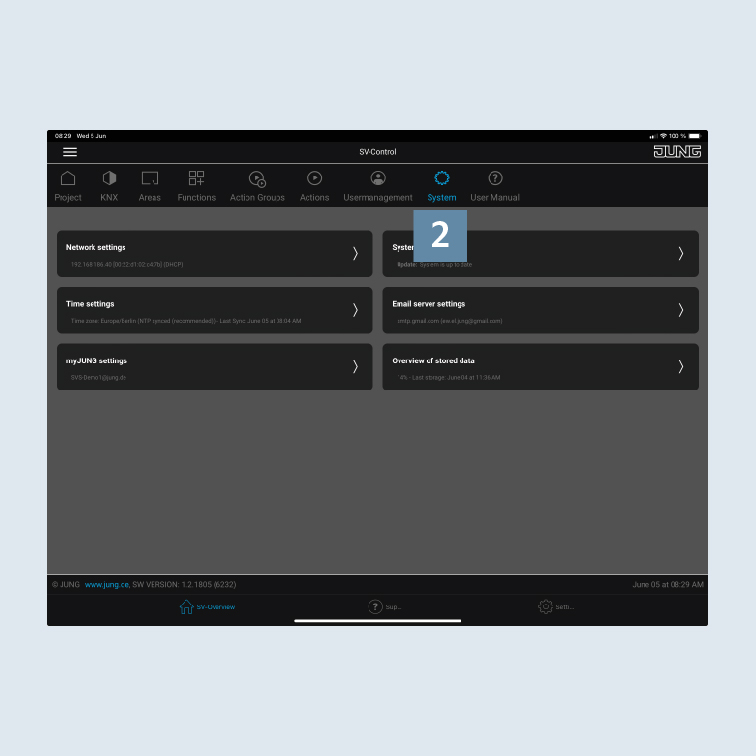
- Navigate in SV-Control to the
Systemtab 2.