Creating action groups
As soon as all actions have been created, allocate the actions to the first action group, Summer holiday.
- Create the
Summer holidaysgroup 1 on theActionstab . - Add the desired action to the group 2.
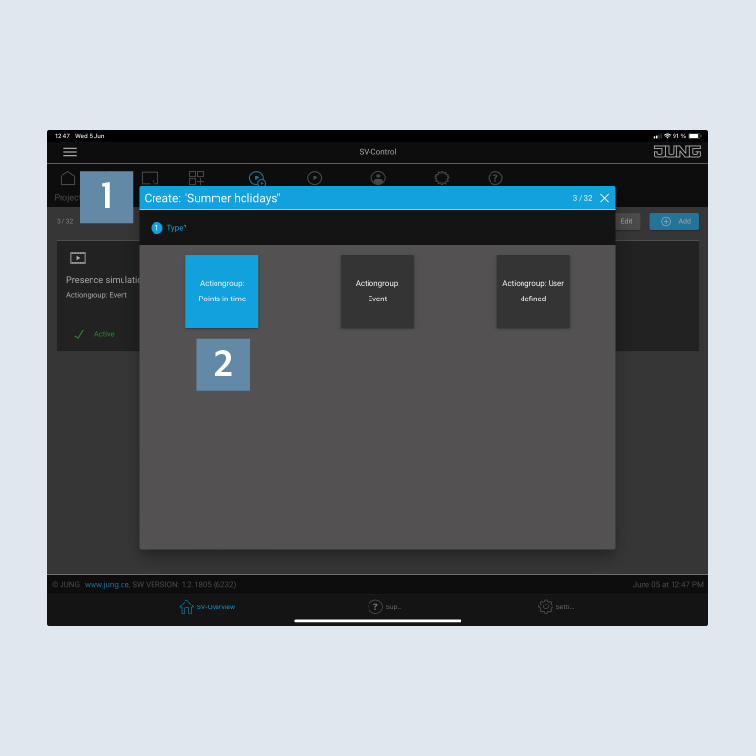
- Select the activation
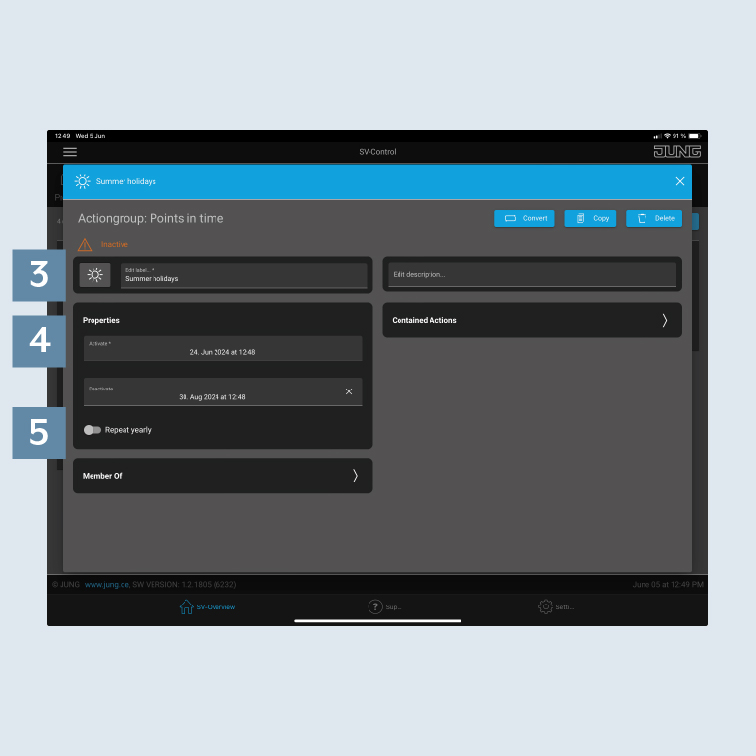
Switching times3. - Specify the
properties (time periods)for theactivationordeactivation4 – in this case the time of your absence during the summer holidays. - Optionally, you can set an
annual repetition5.
- After you have successfully created the group, it appears in SV-Home under
Actions. All actions belonging to the group are henceforth called at the defined time with a random delay. - Add the action previously created to the action group.
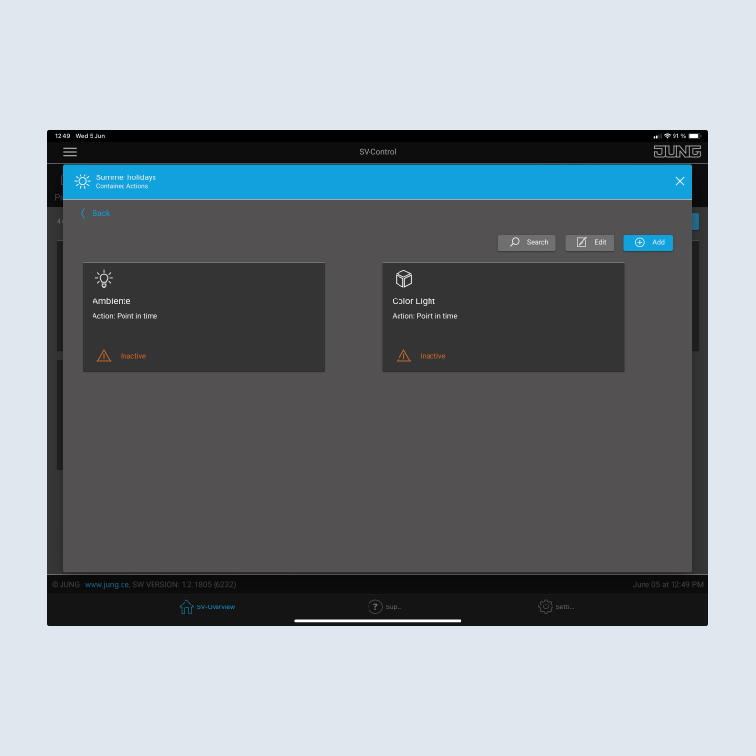
- In the action group overview, you will now see the newly created action group. Add the new action group to the
Actionsarea so that the action group is visible in the visualisation.
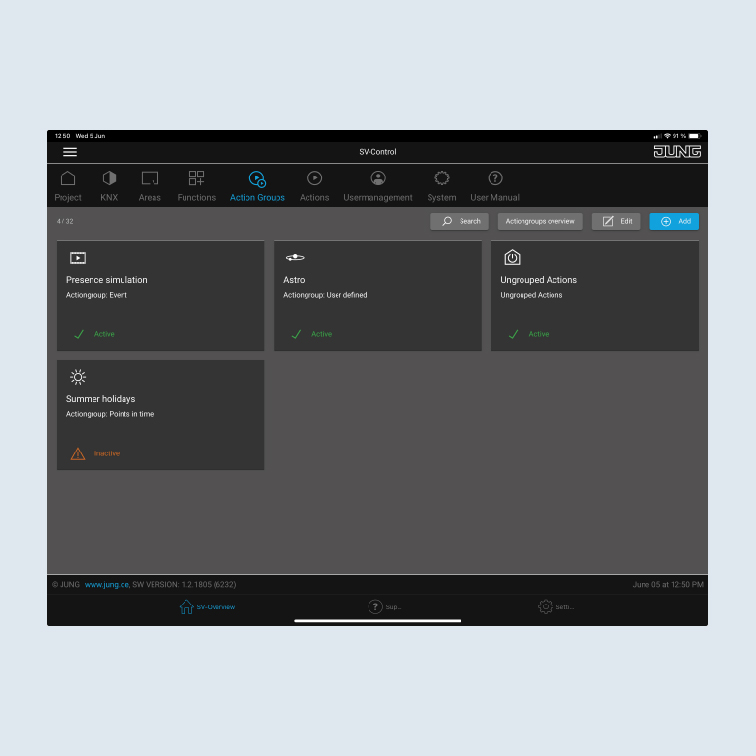
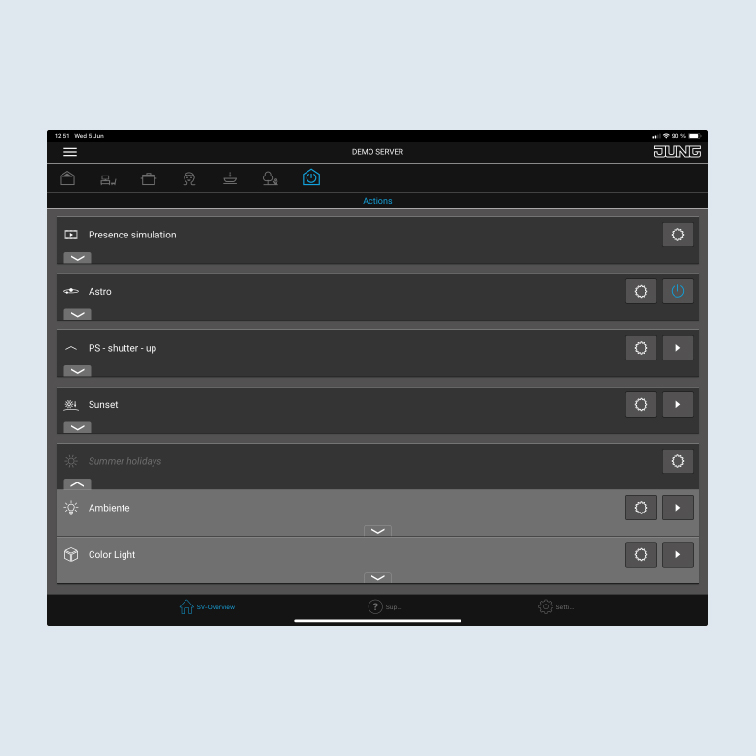
- After you have successfully created the action group, it appears in SV-HOME under
Actions. All actions belonging to the group are henceforth called at the defined time with a random delay. - Using the respective
gear icon, you can adapt an action or group.