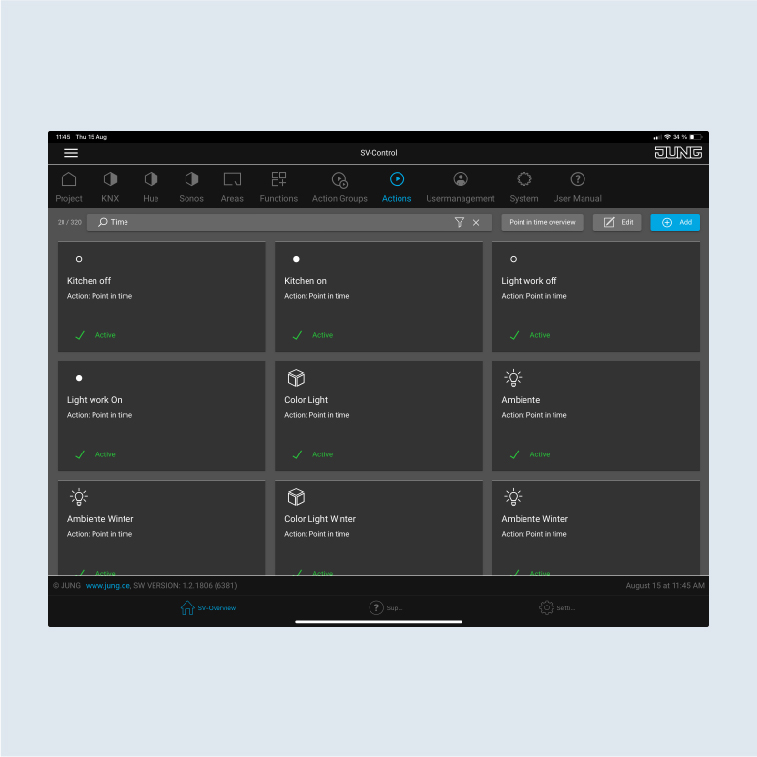
Create actions
The actions serve to switch/move the lighting and blinds at 20:50 with a time variation of ± 30 minutes during the summer holiday. The creation of the first action is explained using the ambient lighting in the living room. Further actions can be configured in addition.
- Create the
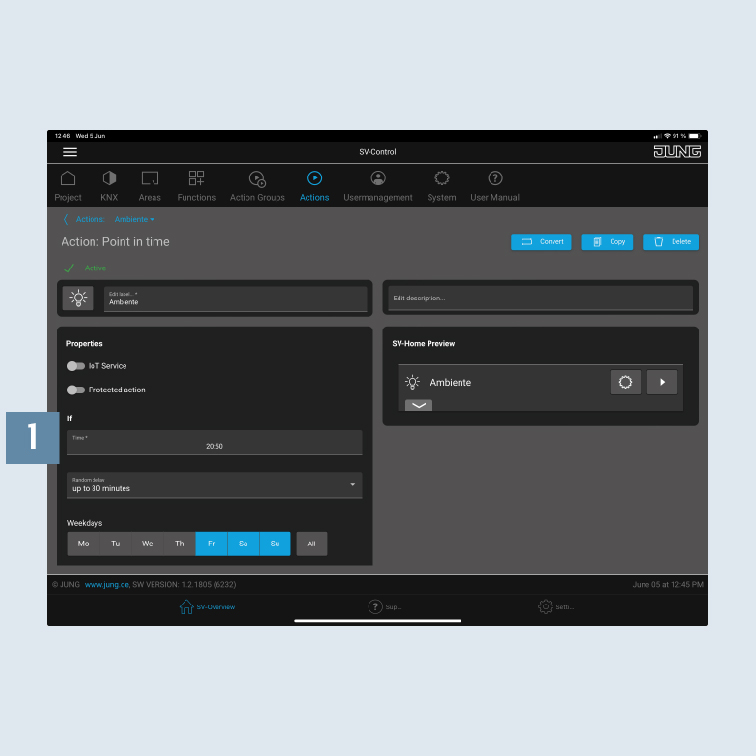
Ambienceaction on theActionstab and select theTime scheduleaction type. Program thetimer1, e.g.:
- Friday to Sunday: 20:50
- Random delay: 30 minutes
- living room - Allocate the action to a room (area).
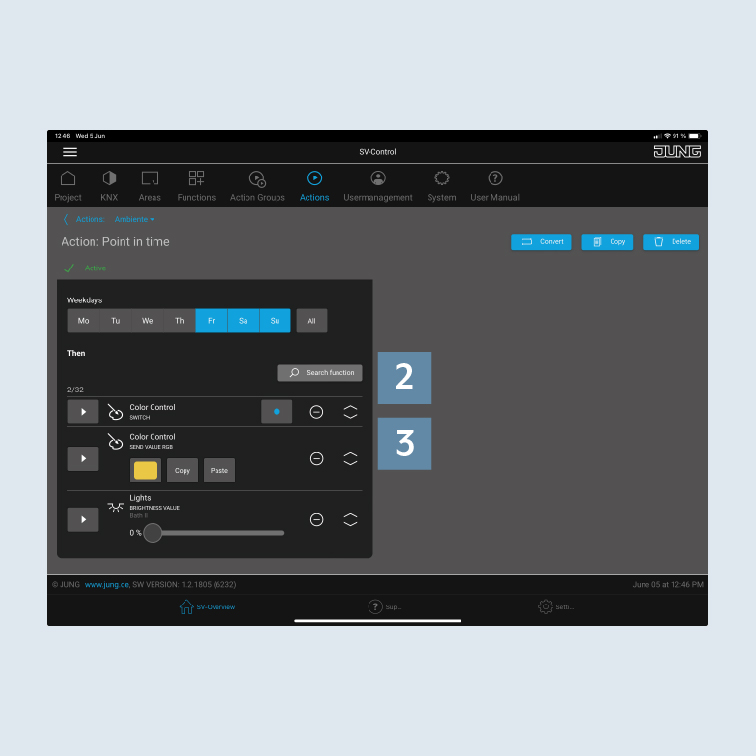
- Add the respective
functions2 to the action – here the lighting in the living room. - Specify which status the functions (lamps) have
when triggered 3, e.g.:
- Hue lamp on
- Hue light colour: warm-white
- Floor lamp to 45 percent
- Create further actions in the same way for the
lighting and blinds controlwith the relevant functions.
Note: all functions added to an action are run at the same time.