“Party mode” action
This action shows you how to combine multiple Sonos devices for a party across rooms and supply them from one music source. Create an individual multi-room experience for your party.
- Add the
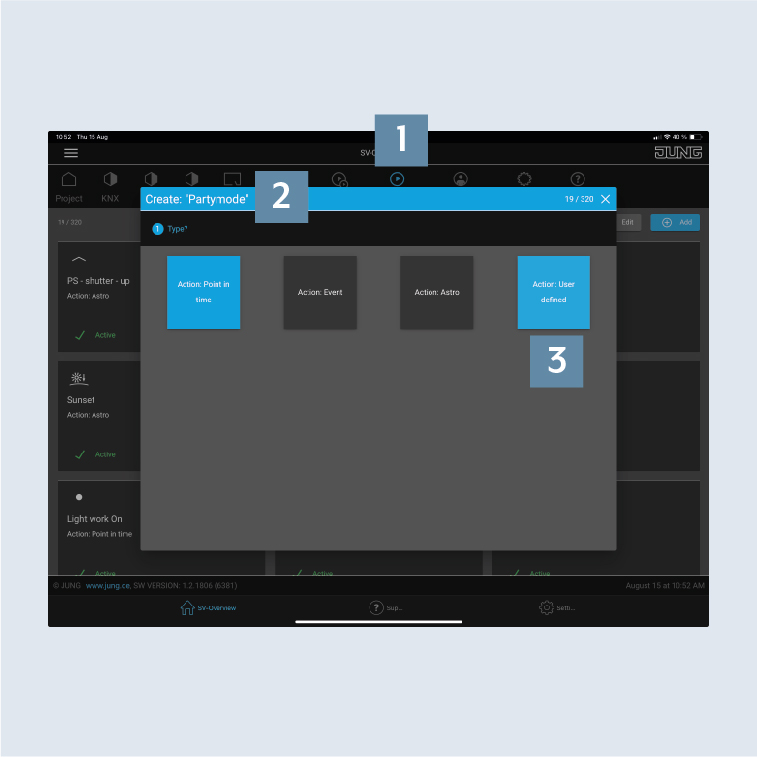
Party modeaction 2 to theActionstab 1. - Allocate the action as necessary to an area and select the type of action as
User defined3.
- Select the
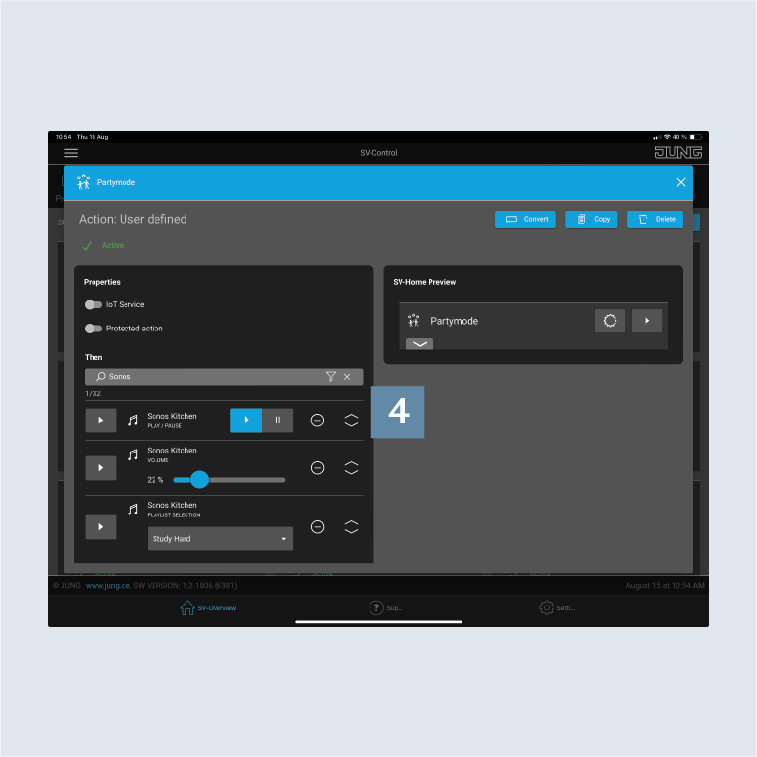
Sonos groupsor loudspeakers here that you would like to control using the action. You can pair and unpair individual groups and loudspeakers, and adjust the volume and the playback source 4.
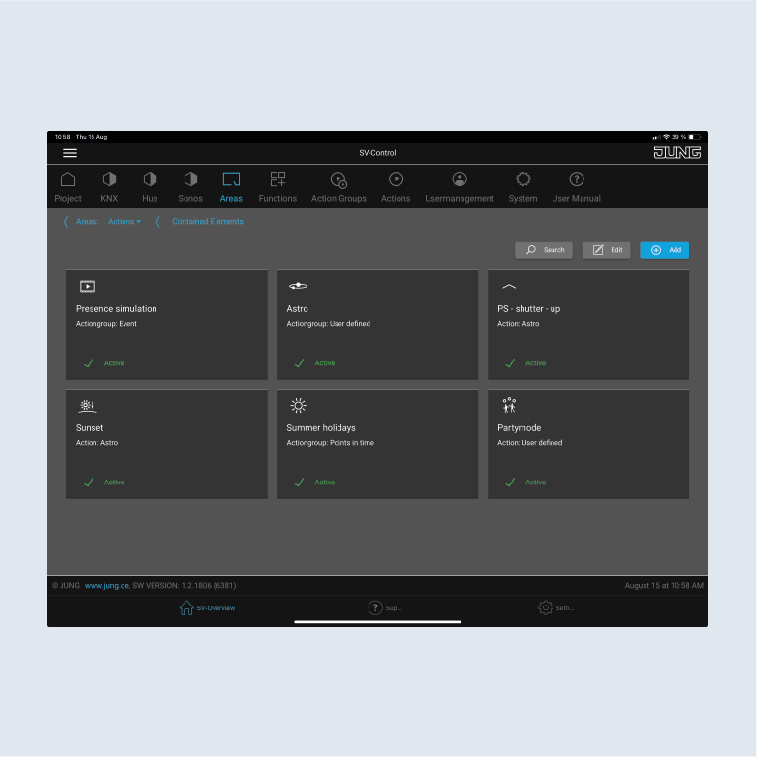
- Add the action created to the
Actionsarea.
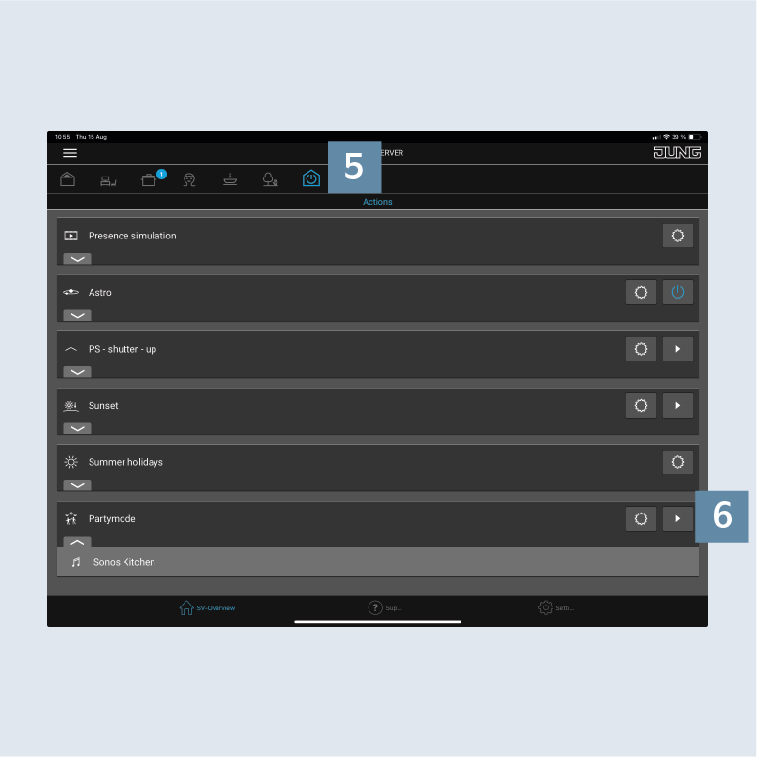
- Activate the action with
►6 underActions5 inSV-Home.