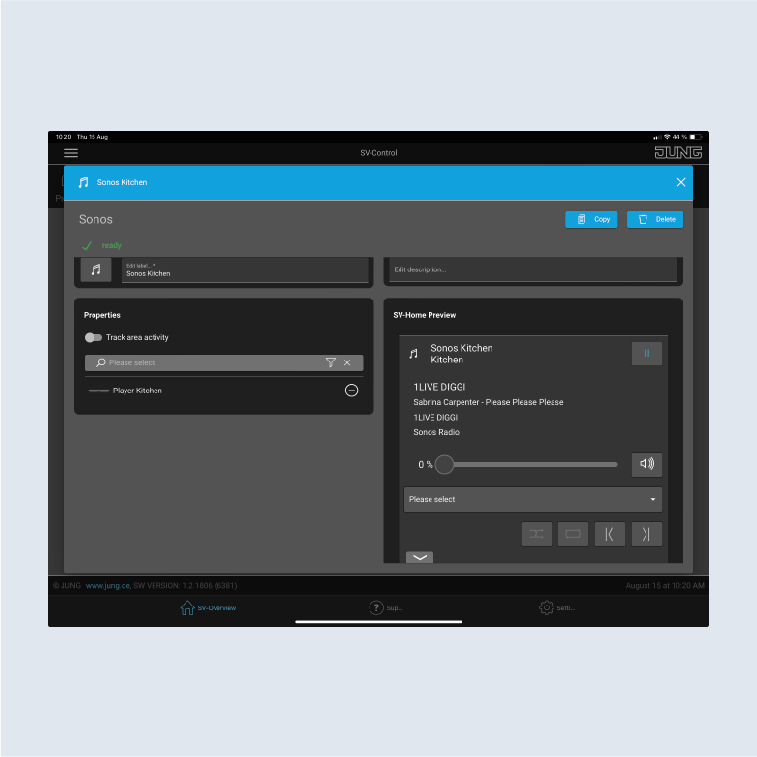
Add loudspeakers, group function and connect to KNX
The following example shows you how to add your Sonos loudspeakers, create dynamic Sonos groups and connect them to KNX.
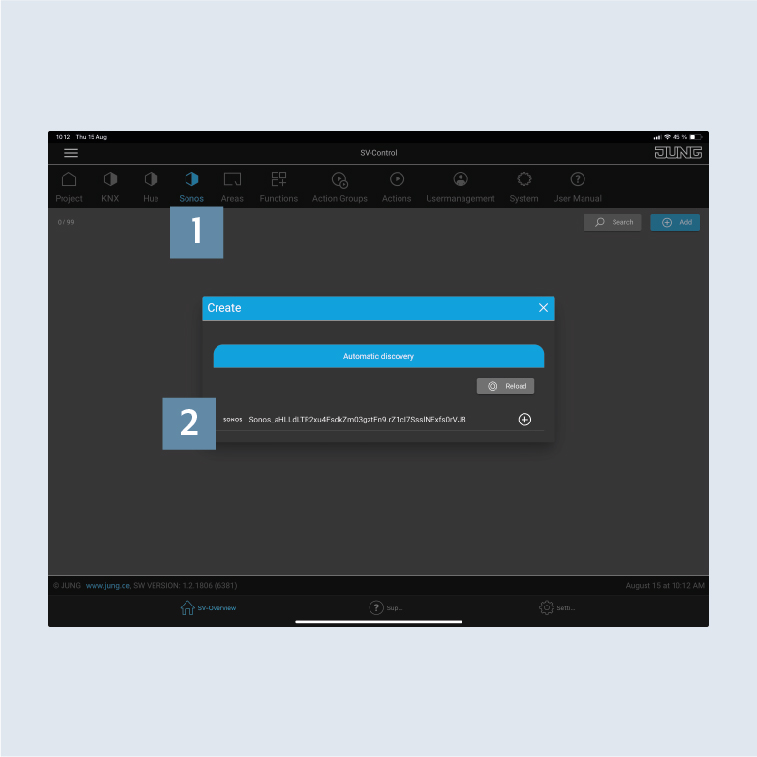
- Change to the
Sonostab 1. - If your Sonos loudspeaker has been correctly set up and connected to your home network (W)LAN, the device will be shown in the list 2.
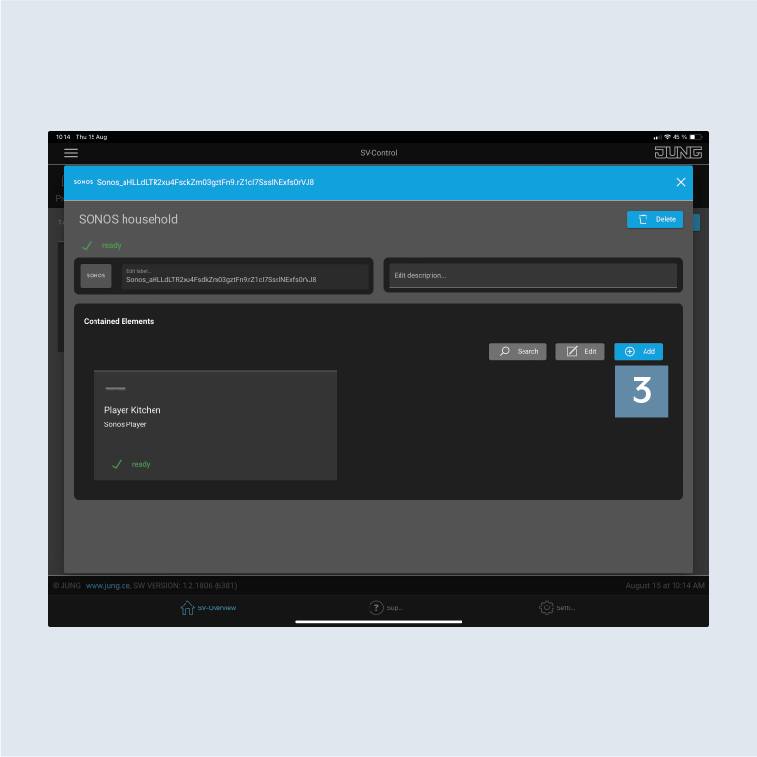
- Use
+ Add3 to connect the Sonos loudspeaker to your SV-Server.
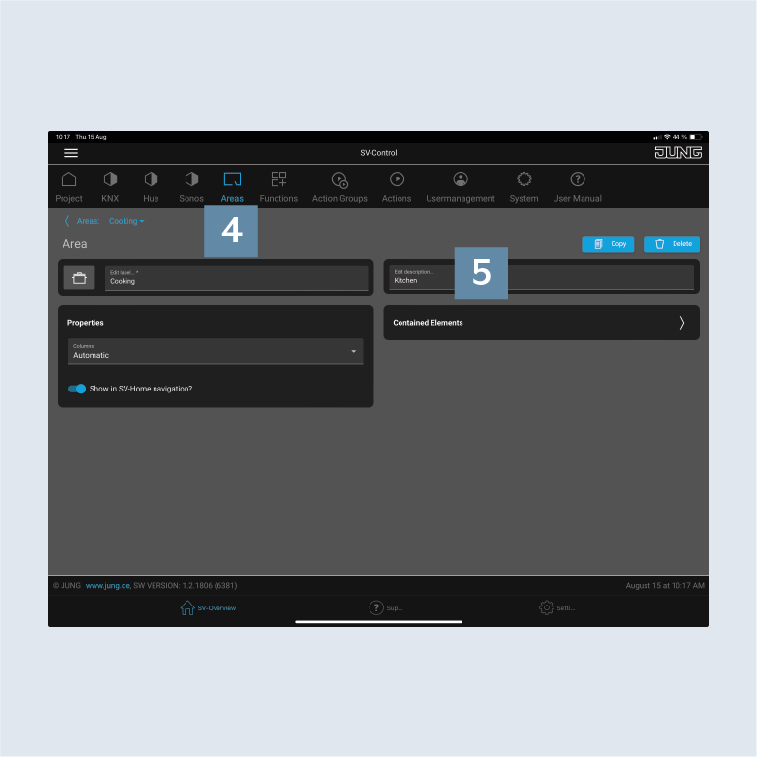
- Under
Areas4, select an area (room) that you would like to add to your Sonos loudspeaker or Sonos group. - Create the name for your Sonos loudspeaker or Sonos group, for example,
Kitchen, underEdit description5.
- Select the function type
Multimedia6.
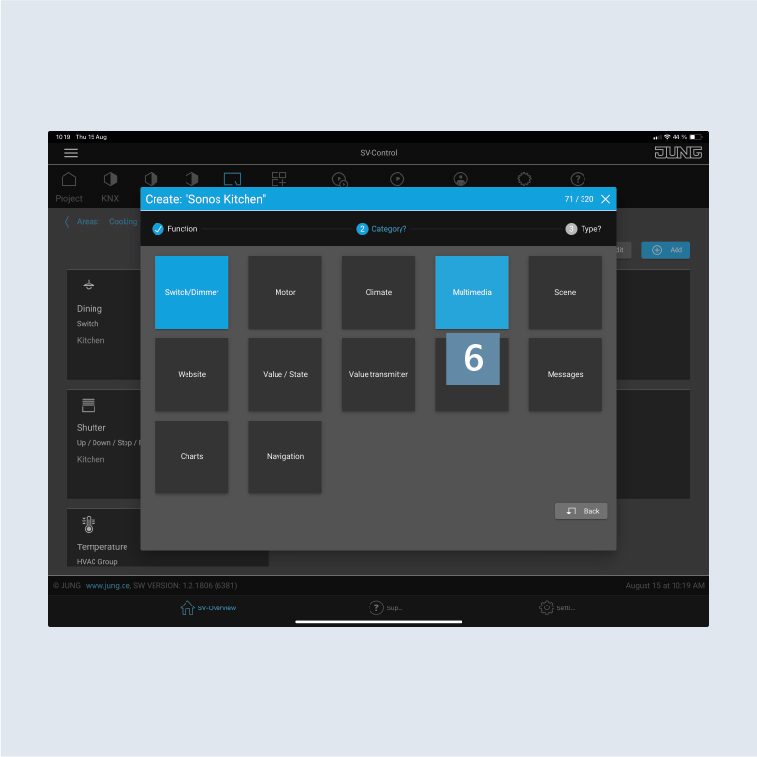
- Add the
Sonos playerto the function.