Commissioning SV-Server
Integrate the Smart Visu (SV) Server in your home network.
- Call the SV-Server with the web browser of your device (PC, laptop, tablet).
To do so, enter the addresshttp://sv-server.localor the IP address of the SV-Server allocated by the router in the web browser. - If the SV-Server is protected by a password, enter this.
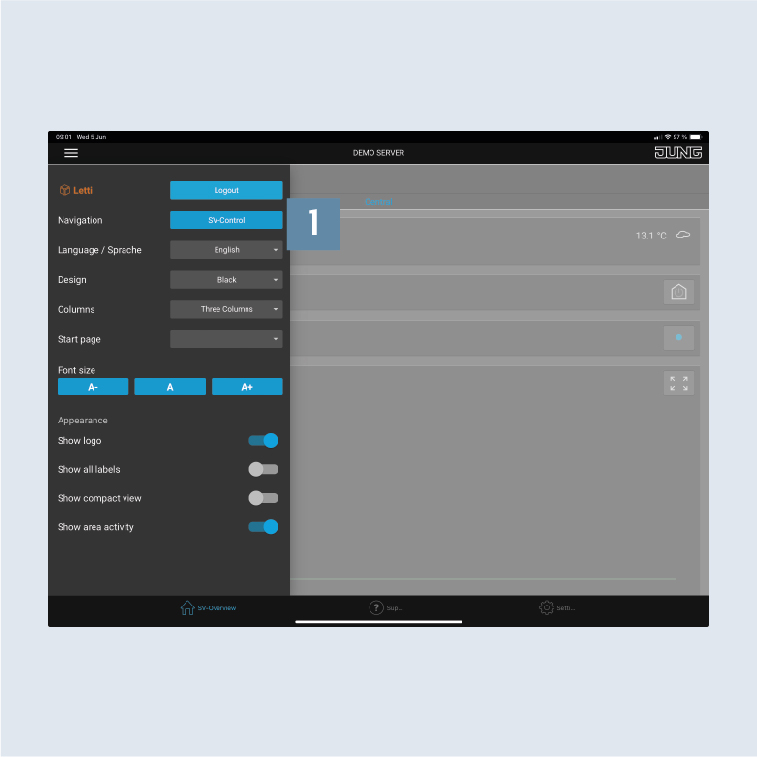
- Select the
SV-Control1button.
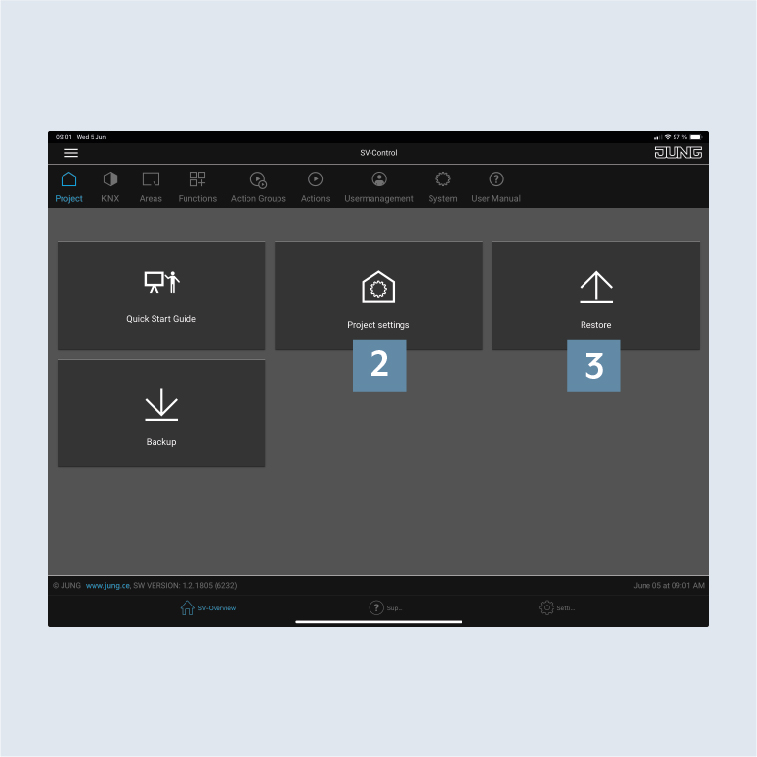
- Create a new project with
Project Settings2 or import an existing one withRestore3 and navigate to theKNXtab.
Set up areas and functions
After you have established the connection to the KNX bus, you now create areas and functions in the SV-Server.
Note
The following is based on a configured system with functions and rooms already created.
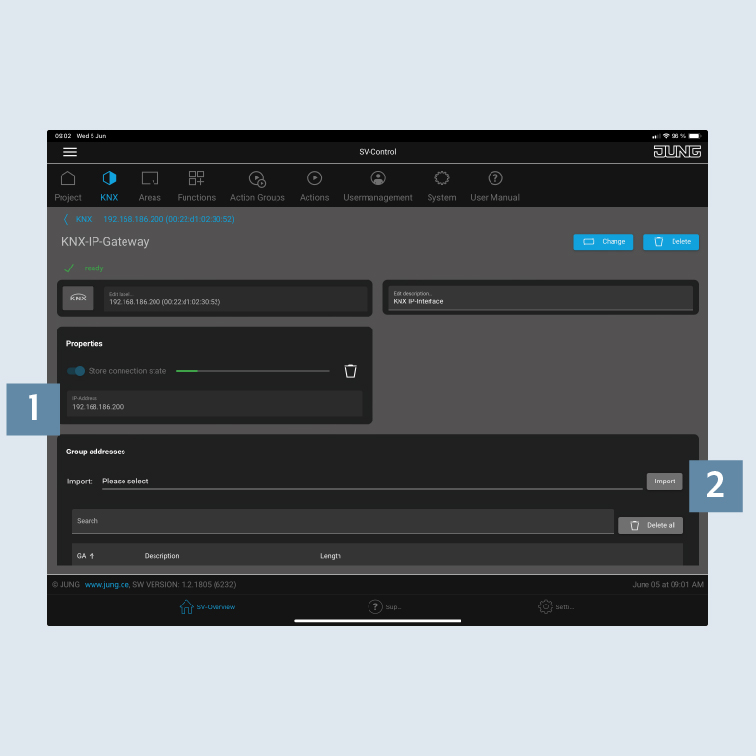
- Add a new interface on the
KNXtab and enter the IP address in theIP addressfield 1. - Then import the required
group addresses2.
- You can create
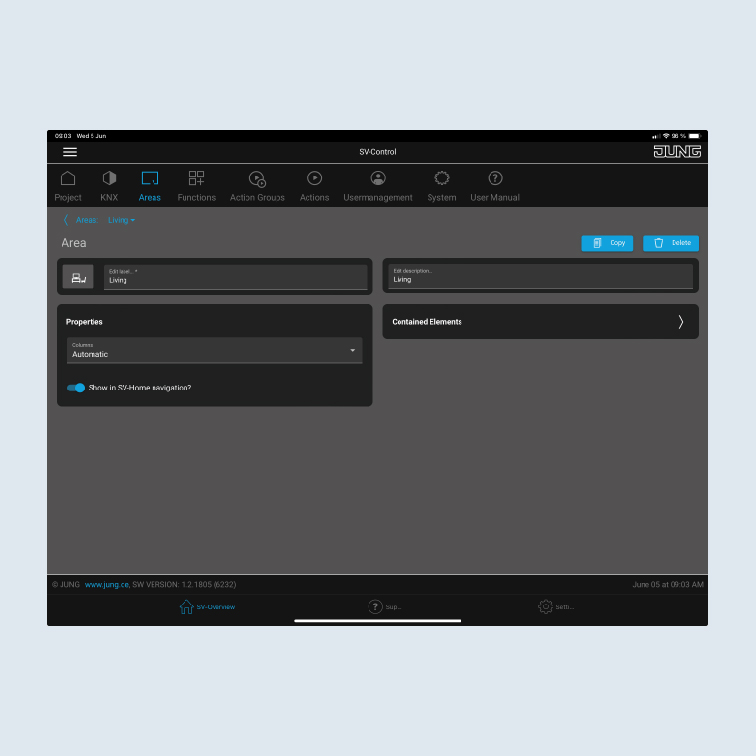
rooms (areas)3 andfunctions4 on theAreas&Functionstab.
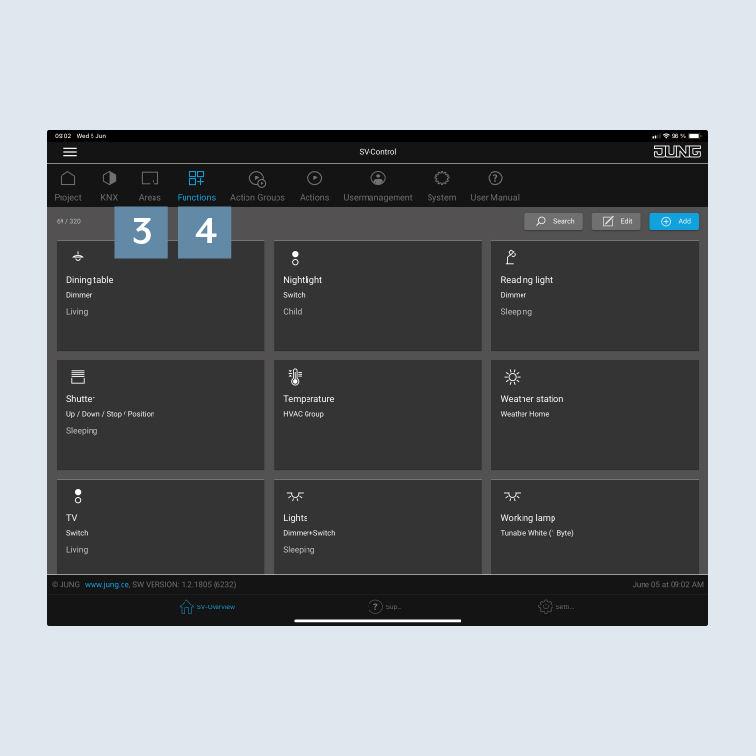
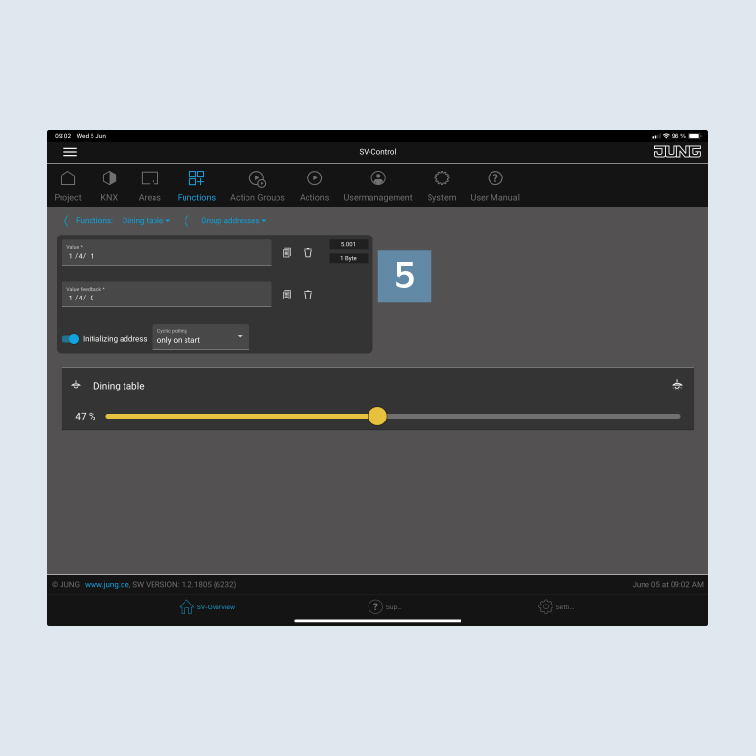
- Create a function and allocate the appropriate
group addresses5 to the function.
- Create an area (room) and allocate the function created to the area.