My Sonos
Using My Sonos in the SONOS app, you can set radio stations, tracks or playlists as favourites for your Sonos system.
This is required for further commissioning and enables quick access to your favourite music.
- Click on
Searchin the Sonos app to add a radio station 1. Afterwards, enter the name of the station 2.
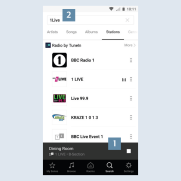
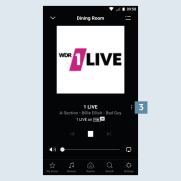
- In this example, you can see how to play a radio station using Tune-In. You can add the radio station to your Favourites using the menu on the right
 3.
3.
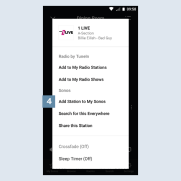
- You can save the radio station in your Favourites via the
Add station to "My Sonos"pop-up menu 4. - You can proceed analogously for playlists and tracks.