Create email messaging action
Last of all you create an action which sends you an email message if the windspeed limit value you specified previously has been exceeded.
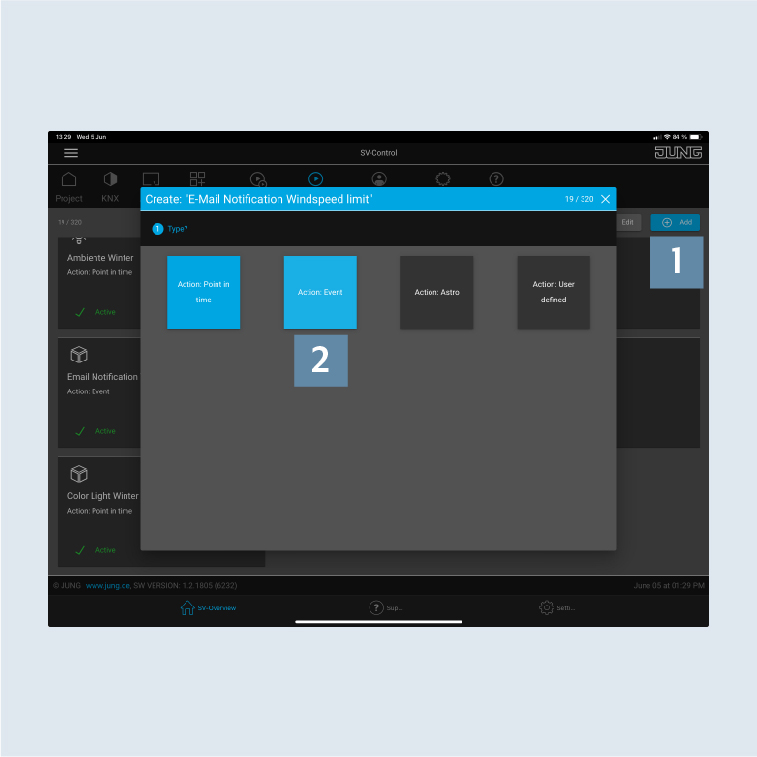
- In SV-Control, go to
Actions. - Click on
Add1 and create a newEmail Notification Windspeed limitaction for the function you have just created. - Click on the
Action: Eventfield 2 and first allocate the action to an area.
- Select an
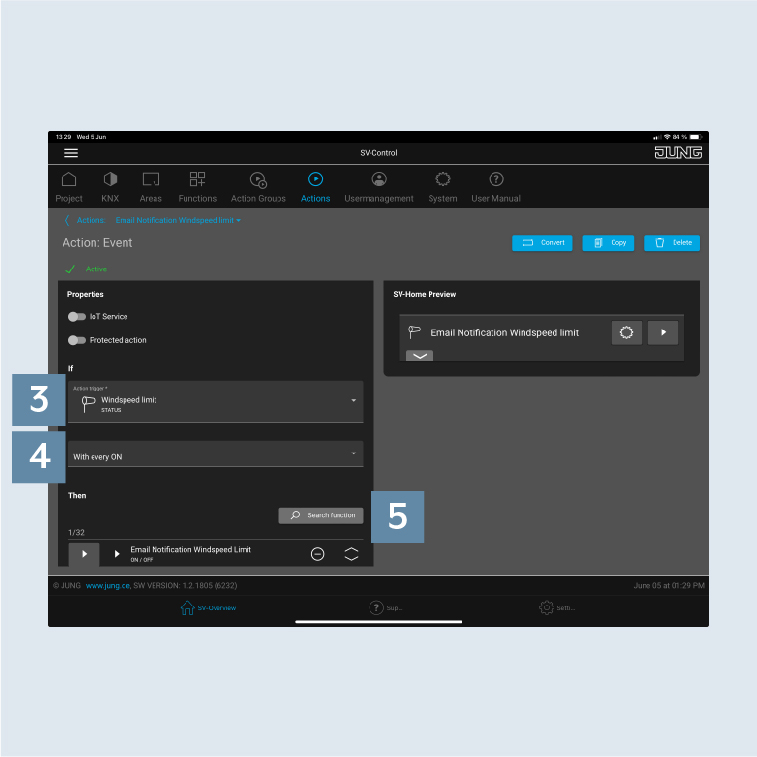
action trigger3, in this caseWindspeed limit. - Select the
condition for triggering4, in this caseWith every ON. - Under
Search function5, select the email message you created.