Create email messaging action
Last of all you create an action which sends you an email message if the temperature limit value you specified above has been fallen below or exceeded.
- In SV-Control, go to
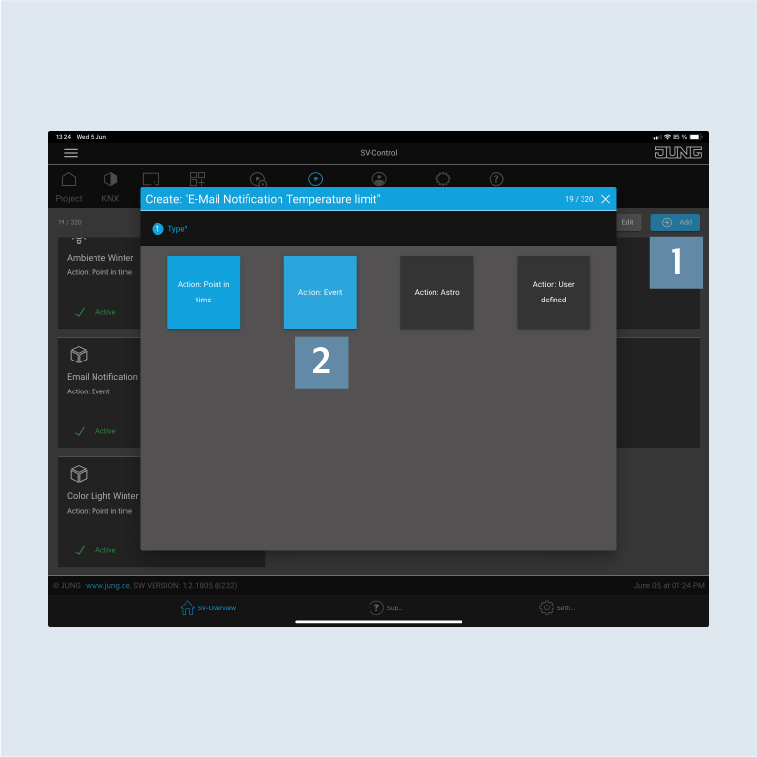
Actions. - Click on
Add1 and create a newEmail Notification Temperature limit Leakaction for the function you have just created. - Click on the
Action: Eventfield 2 and first allocate the action to an area.
- Select an
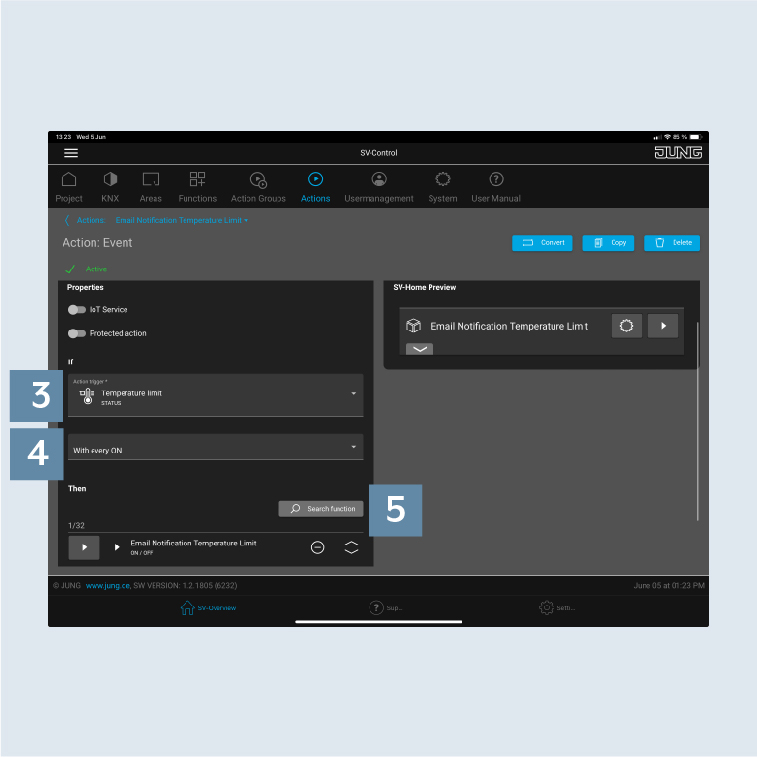
action trigger3, in this casetemperature limit. - Select the
condition for triggering4, in this caseWith every ON. - Under
Search function5, select the email message function you created previously.