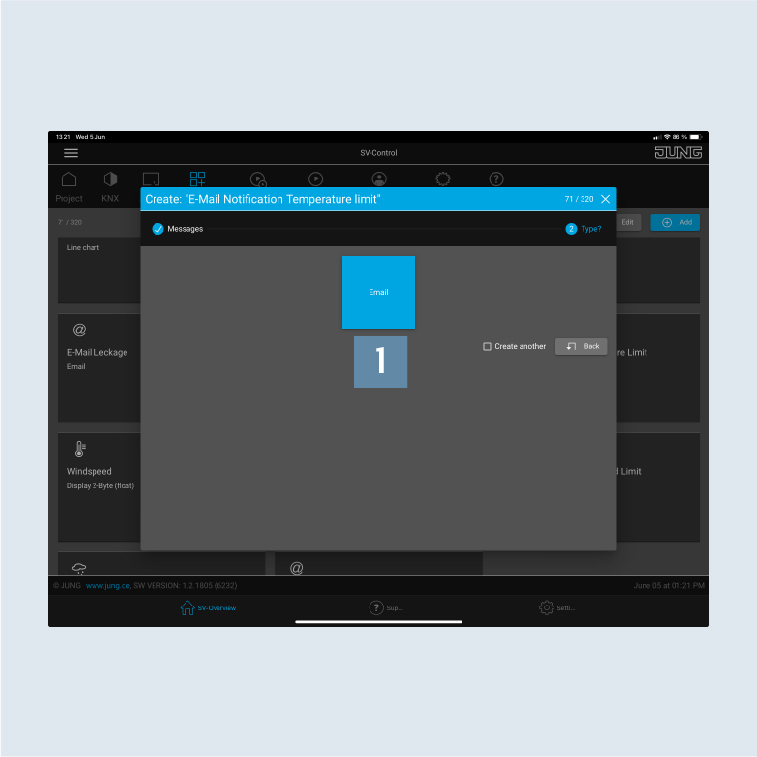
Create email messaging function
The next step, under Functions, is to specify the temperature limit value for whose upper or lower limit violation you will receive an email.
- Create the message
Email Notification Temperature limit1 underFunctions.
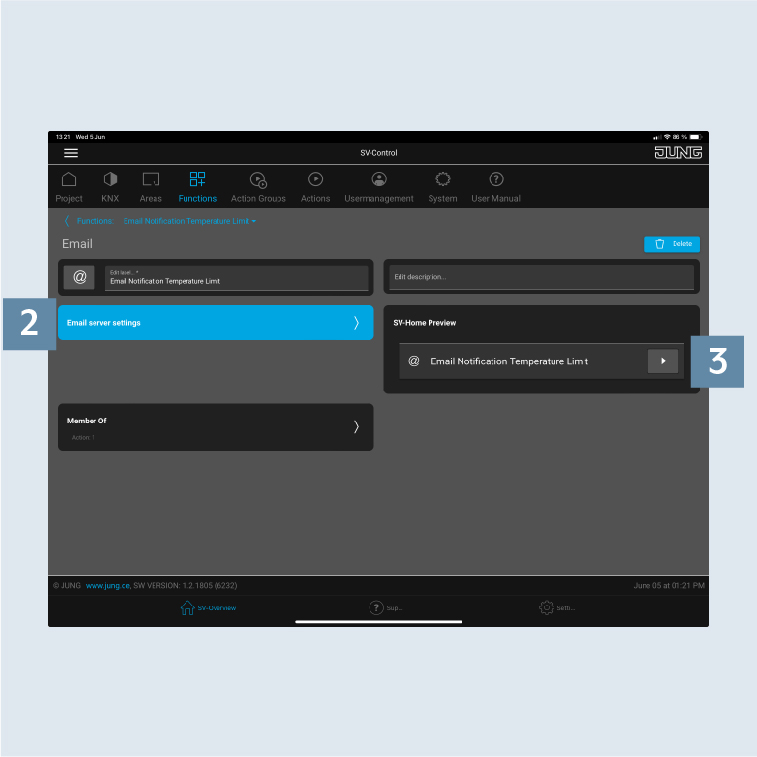
- Select
Email server settings2. - Select the previously created function
Email Notification Temperature limit3 underSV-Home Preview.
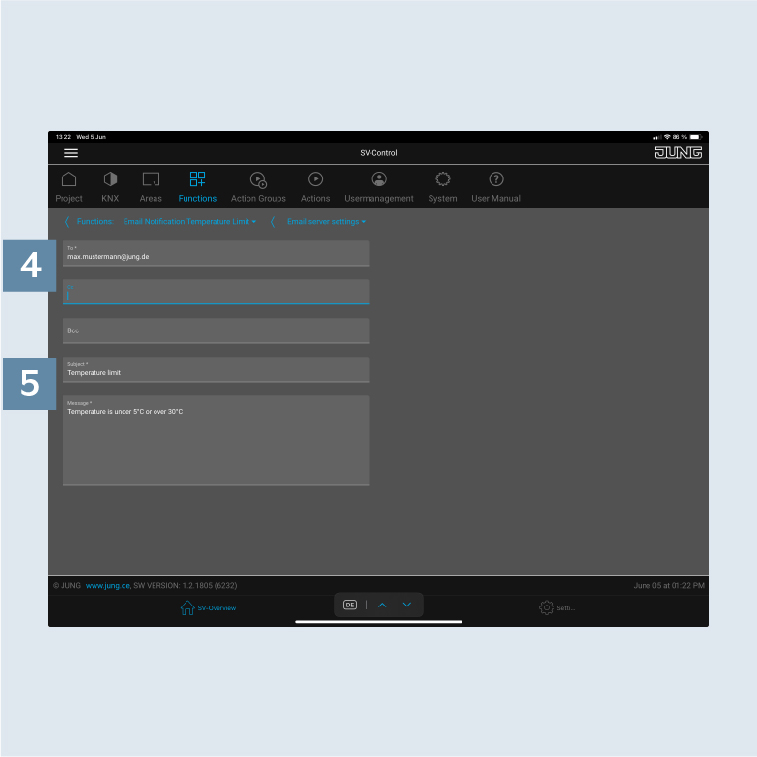
- Enter the
email address4 of the required recipient in addition to the CC and BCC recipients. - Last of all, enter an individual
subjectand an individualmessage5.