Configure parameters
Further parameters for the JUNG HOME room thermostat display can be easily configured using the JUNG HOME app.
How to configure the parameters for the JUNG HOME room thermostat display:
- Select the
function bar on the Home screen. - Select the JUNG HOME device.
- Press on the
gear. - Configure one or more parameters.
- Press on the
tick.
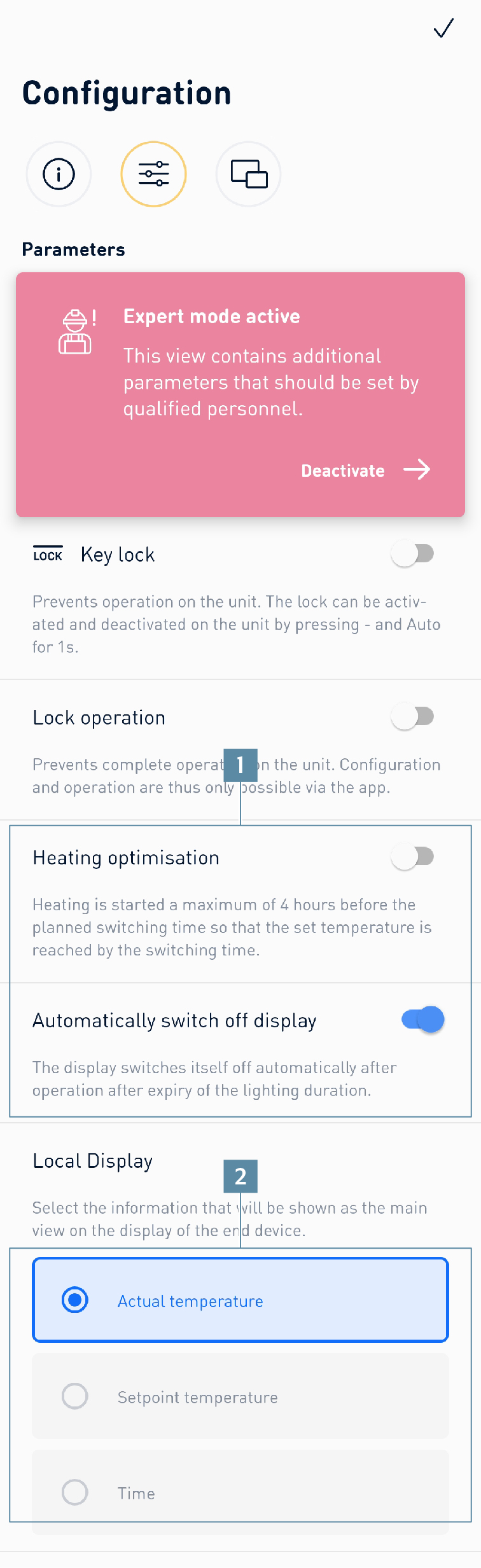
1 | Optimised heating up:
with this, the planned heating up can be brought forward by up to 4 hours so that the setpoint temperature has been reached by the switching time. Manual operation:
the manual operation deactivates all automations and the setpoint temperature can be adjusted by app or locally. If all time programs are deactivated, the device automatically switches to manual operation. Automatically switch off display:
after expiry of the lighting duration, the display switches off automatically. The display can be switched back on by pressing any button or direct function triggering. |
2 | Setpoint temperature:
the setpoint temperature is the target temperature to be achieved in a room. Actual temperature:
the actual temperature is the temperature currently measured at the temperature sensor. Time:
the current time in the format hh:mm. |
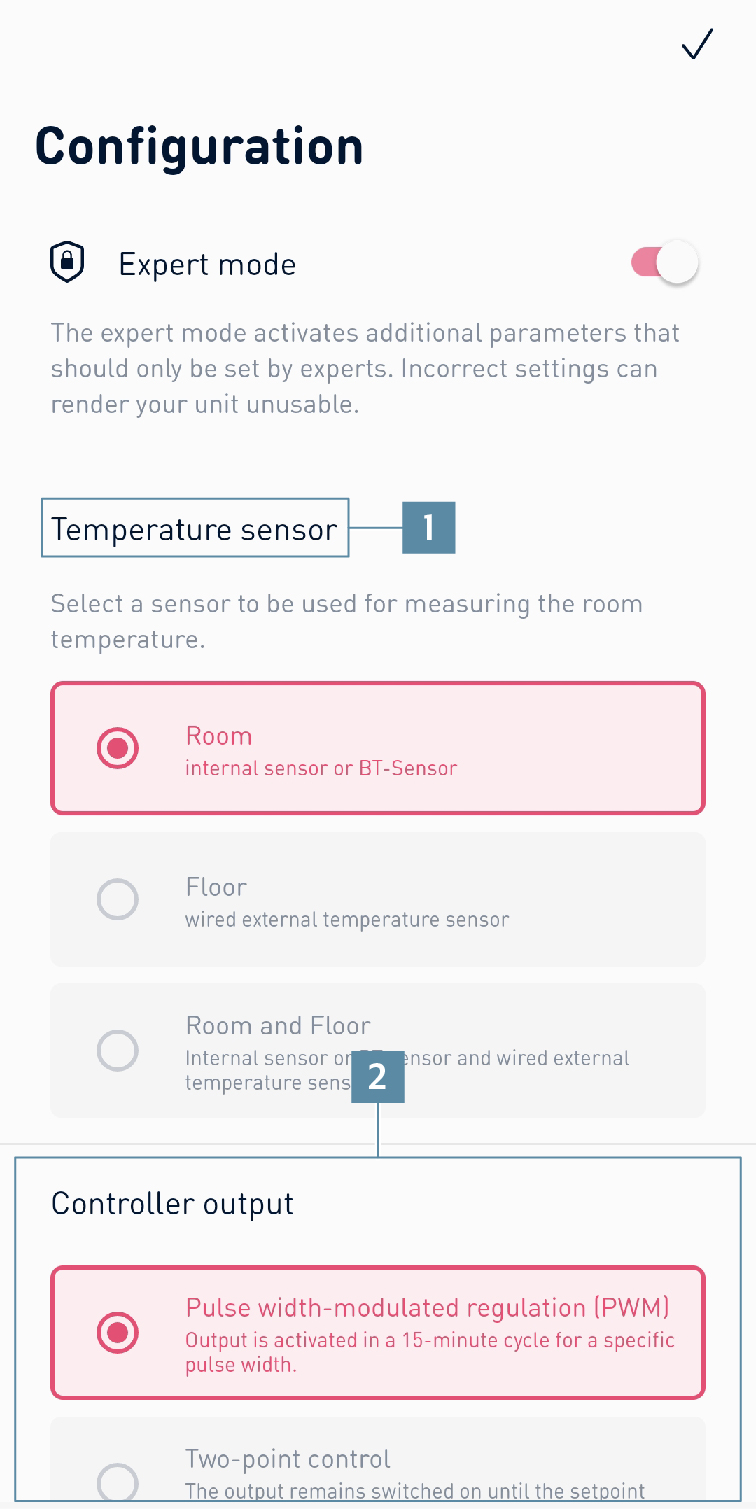
1 | Temperature sensor Selection of a sensor to be used for measuring the room temperature. The following are available: |
2 | Pulse width-modulated control:
optimised for electrothermal valve drives, e.g. TSA 230 NC WW. The output is not continuously activated but for a certain time (pulse width), which depends on the temperature difference between the setpoint and actual temperature. With this method, the actual temperature is increasingly approaching the setpoint temperature. The cycle time is 15 minutes. Two-point control:
the output remains switched on until the specified setpoint temperature is exceeded by approx. 0.5 °C. The output is not switched on again until the temperature goes below the setpoint by 0.5 °C. As most heating systems are very sluggish, temperature overshoots can occur with this control. |
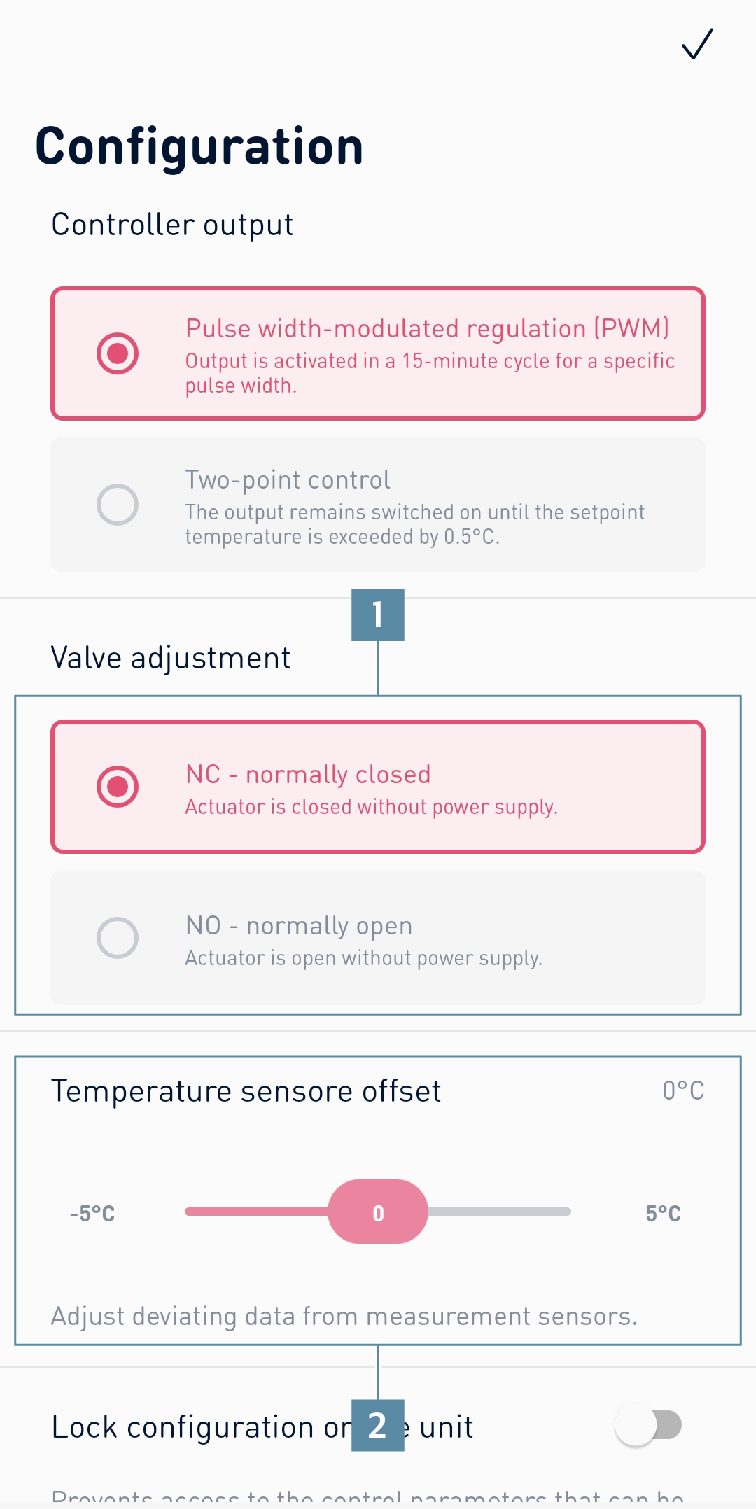
1 | The valve adjustment is oriented to the connected valve drive. With the thermal valve drive 230 V (TSA230NCWW), NC - normally closed should be selected. |
2 | The temperature sensor offset enables a correction value for the measured room temperature. |
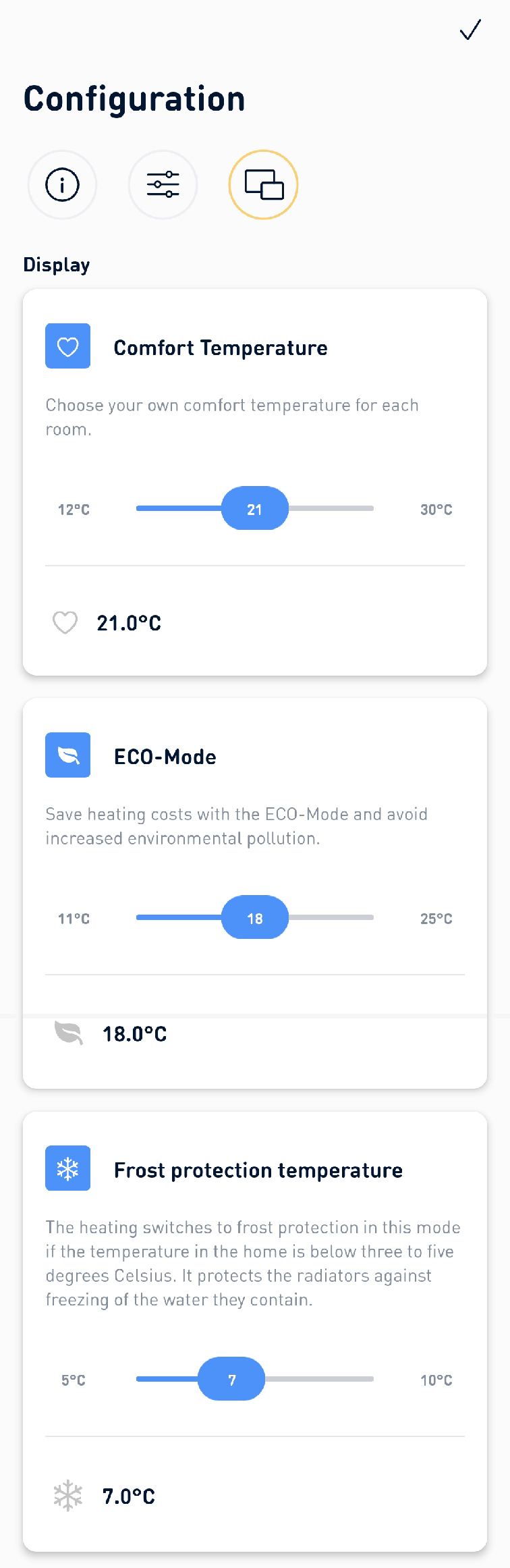
The setting of the comfort, ECO and frost protection temperatures applies both for operation in the app and for buttons on the room thermostat. Here you can individually adjust the comfort, ECO and frost protection temperature. The settings are saved with tick.