Charting the JUNG HOME SCHUKO® socket Energy (... French/Belgian system)
The consumption values of a JUNG HOME SCHUKO® socket Energy (... French/Belgian system) can be read directly in the JUNG HOME app.
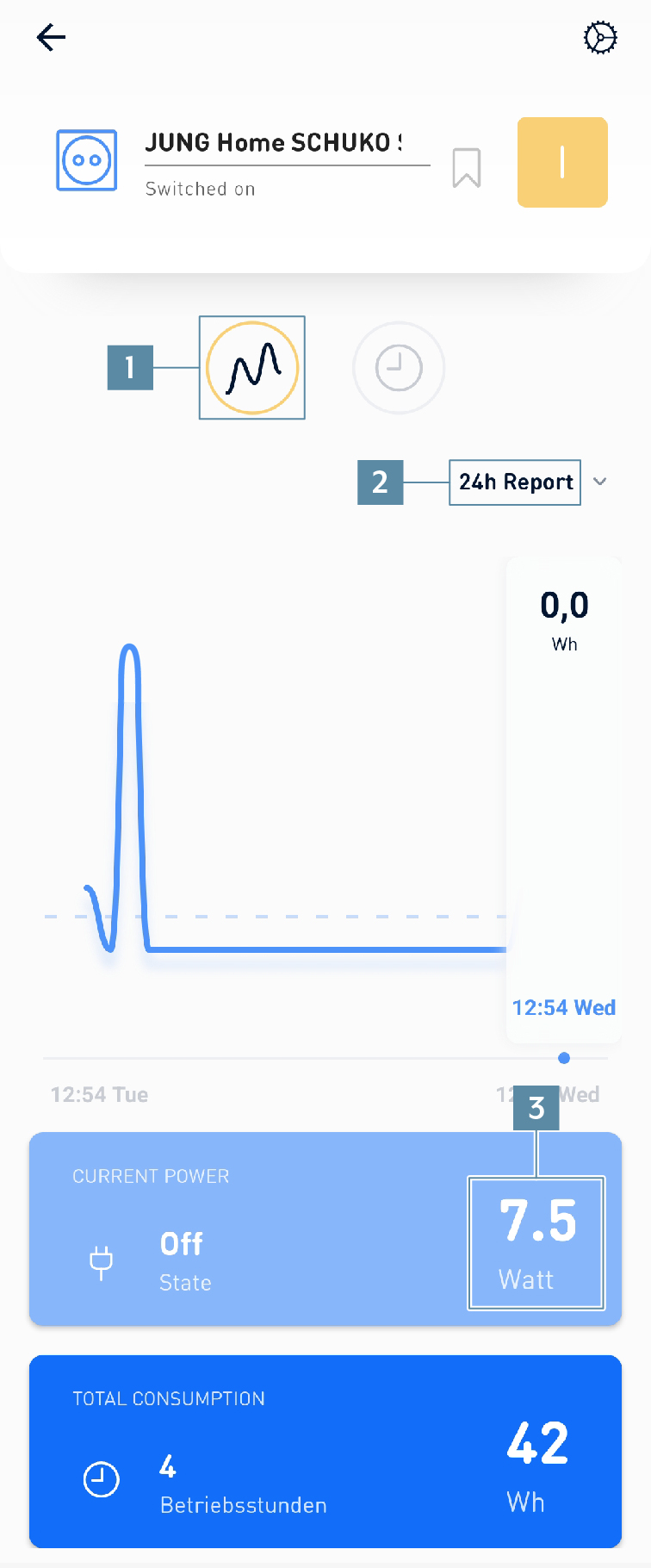
How to configure charting for the JUNG HOME SCHUKO® socket Energy (... French/Belgian system):
- Press the
socketsymbol on thefunction baron theHomescreen. - Select the appropriate JUNG HOME socket Energy, e.g. JUNG HOME SCHUKO® socket Energy.
- Press on the
chartingsymbol (1). - Choose between
24-hour historyand31-day history(2). - In the lower parts of the screen, the current power consumption (3) of the connected devices is displayed.
- In addition, you can view the total consumption and the corresponding costs at the JUNG HOME SCHUKO® socket Energy.