Create email messaging function
In the next stage you specify the general settings for the function. After this you will write a few basic settings.
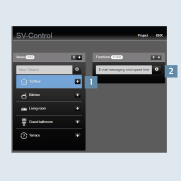
- Select a zone, for example first floor, kitchen or guest bathroom in the
Areas & Functionstab underAreas1. - Now, under
Functions, create thewind speed limit value email message2.
- Under
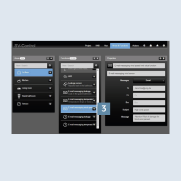
Functions, select thewind speed limit value email message3 you have just created.
- Now, under
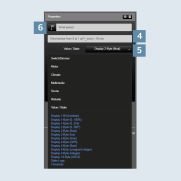
Functions, create thewind sensor email message4. - Select Display 2-byte (float) as
Value5. - If you tap on the
symbol6, you can select the symbol you want to use for thewind speed limit value email message.
- Enter a
description7, e.g.: send message if wind speed exceeds specified value. - Enter the
email address8 of the required recipient in addition to the CC and BCC recipients. - Last of all, enter an individual
subjectand an individualmessage9.
