Configuration of the JUNG KNX Sonos Gateway with the Engineering Tool Software (ETS)
Download the appropriate product databases for the JUNG KNX rotary sensor (DS 4092 TS) and the JUNG KNX push-button module (4194 TSM) for the ETS to control your Sonos system with KNX control points. The following examples show you how to prepare the control of volume as well as playback and pause of your Sonos loudspeaker with the JUNG KNX control elements within the ETS.
Example: rotary sensor
Rotary knob (RK)
- Function –
encoder (1 byte) - Functionality –
encoder 0...100%
Push button (PB)
- Function –
switching - Command when pressing the button –
UM
Example: universal push-button sensor, 4-gang, rocker function (rocker 1):
- Function –
dimming(default values)
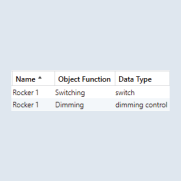
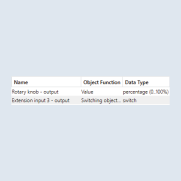
Now create the following group addresses and connect these to the KNX devices:
SETTING | OBJECT FUNCTION | DEVICE |
|---|---|---|
Play/Pause (1-bit) | Switching | Push-button + rocker 1 |
Volume (1 byte) | Value | Rotary knob |
Volume (4-bit) | Dimming | Rocker 1 |