Duplicating action groups
After you have created the presence simulation and action group for the summer holiday, you can now quickly and easily create a second presence simulation for your skiing holiday in the winter. In this example, the timer is set to 18:55.
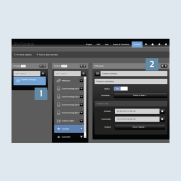
- Under
Groups, select theSummer holidaygroup 1. - Duplicate the
Summer holidaygroup with theCopy function2. All allocated actions and functions are copied – you do not have to create them again.
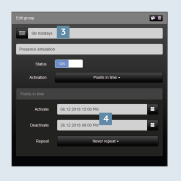
- Rename the new group, e.g. to
Ski holiday3 and set the(de)activation times4 for the winter holiday.
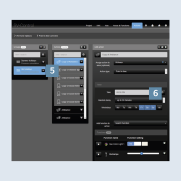
- The new group
Skiing holidaynow appears in the overview 5. - Afterwards, you can likewise rename the actions and change the settings – set the
Timer6 for the actions to 18:55.
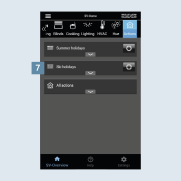
- After you have successfully created the
Ski holidaygroup 7, this appears in the SV-Home under Actions. - Using the respective
gear icon, you can adapt an action or group.