Use a GPS time server
If you use the JUNG VISU PRO Server in a closed network without Internet connection, you can alternatively also synchronise the time with a GPS transmitter. Thereby, you synchronise the GPS device and the JUNG VISU PRO Server via Ethernet in a local network.
Note
In this example, a GPS time server from hopf Elektronik GmbH - model 8029 NTS-V2 - is used. It is assumed that the device has already been configured.
- Connect the GPS device to a port on your router or switch.
- Read the
IP address of the GPS device1 from the network overview of your router or switch. - Now navigate again via the
Windows clockto theInternet settings.
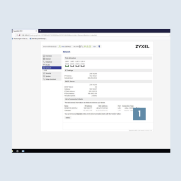
- As described in the previous steps, enter the
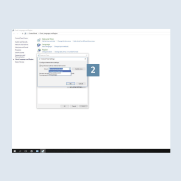
IP address of the GPS devicein theServerfield 2 on theInternet timetab. - Pay attention to the
reception qualityon the GPS device. To do this, check the connection status using the respective manufacturer software or via the web interface.
- Successful time synchronisation with a GPS signal requires satellite reception. At least
three satellitesshould be connected with theGPS devicefor continuous function. If you use a GPS device as (NTP) time server, ensure that the GPS device is operated asStratum 1.
