Set up JUNG Visu Pro for Google Home
The connection of the JUNG Visu Pro server with Google Home is carried out just as easily as coupling to Amazon Alexa.
The following steps show you how to set up the JUNG Visu Pro service for Google Home.
- In the
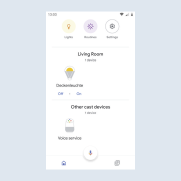
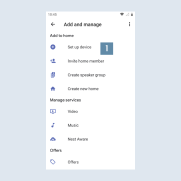
Google Home app, click on theSet up devicemenu item 1.
- In the
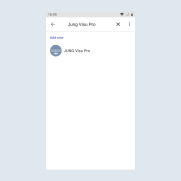
Add new servicewindow, search forJUNG Visu Proand add the service by clicking.
- Enter your
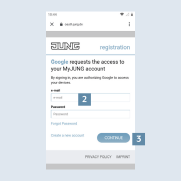
MyJUNG login details2 and click onContinue3 to activate the JUNG Visu Pro service. By entering your login details, the JUNG Visu Pro service is connected to your JUNG Visu Pro server.
- Finished! It only remains to select your devices.
- The Amazon Alexa app shows you the voice-compatible devices and functions on your KNX system.