Activate voice services using VisServer
After you have selected the functions and devices in the process model for the voice control, open the VisServer or the visualisation using an HTML5 browser (e.g. Mozilla Firefox or Google Chrome) on your PC or end device. Complete the configuration as follows.
- Log in to the administration area of the
VisServer.

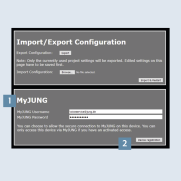
- Navigate to the
MyJUNG menu point1 and enter yourMyJUNG login details. - Press the
Device registrationbutton 2 to confirm the entry.
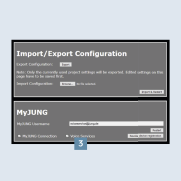
- Activate the voice control by ticking
Voice services3. - Afterwards, open the
Amazon Alexa appor theGoogle Home appon your end device.